How to Program f150 Garage Door Opener
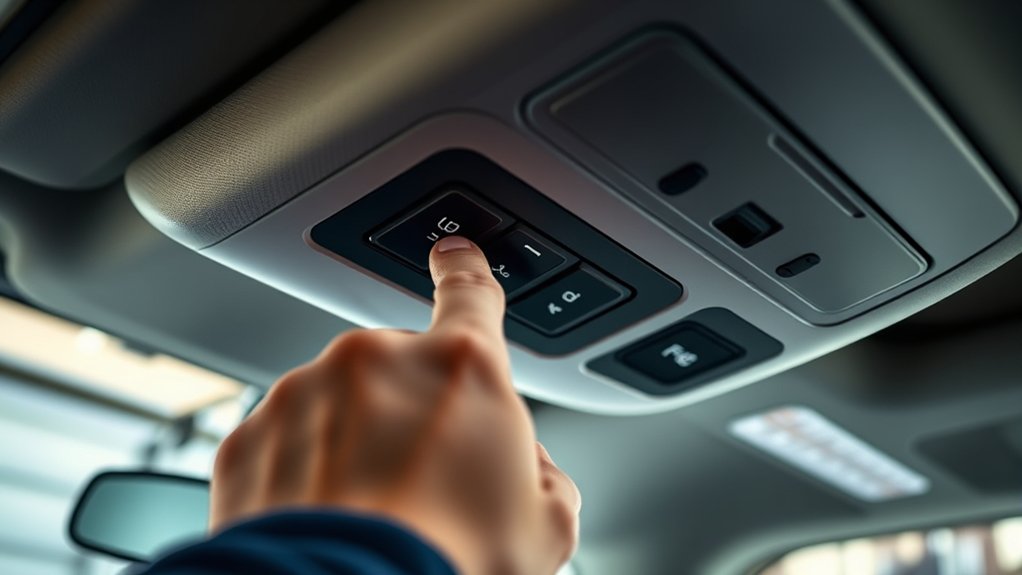
To program your F-150 garage door opener, start by locating the HomeLink controls, which are usually found in the overhead console or sun visor. This is the first step in syncing your vehicle to the garage door system.
You’ll need a fresh remote battery and must clear any previous settings before syncing. With the ignition on but the engine off, follow specific button sequences to initiate programming.
Different garage door brands may require unique steps, so understanding these nuances is essential before moving forward. Being aware of these differences can help ensure a smooth setup process.
Key Takeaways
- Locate the “HomeLink” button on the F-150 overhead console, sun visor, or dome light panel to begin programming.
- Ensure the garage door remote has a fresh battery and clear previous settings by holding its button until the LED blinks rapidly.
- Turn the ignition to ON (engine off), press and hold the “HomeLink” button until its indicator light blinks, then release and press again.
- Hold the garage door remote near the vehicle’s visor and press its button to sync with the F-150 opener system.
- Press the garage door opener’s “Learn” button within the required timeframe to complete synchronization, following brand-specific instructions if needed.
Locate Your F-150 Garage Door Opener Controls
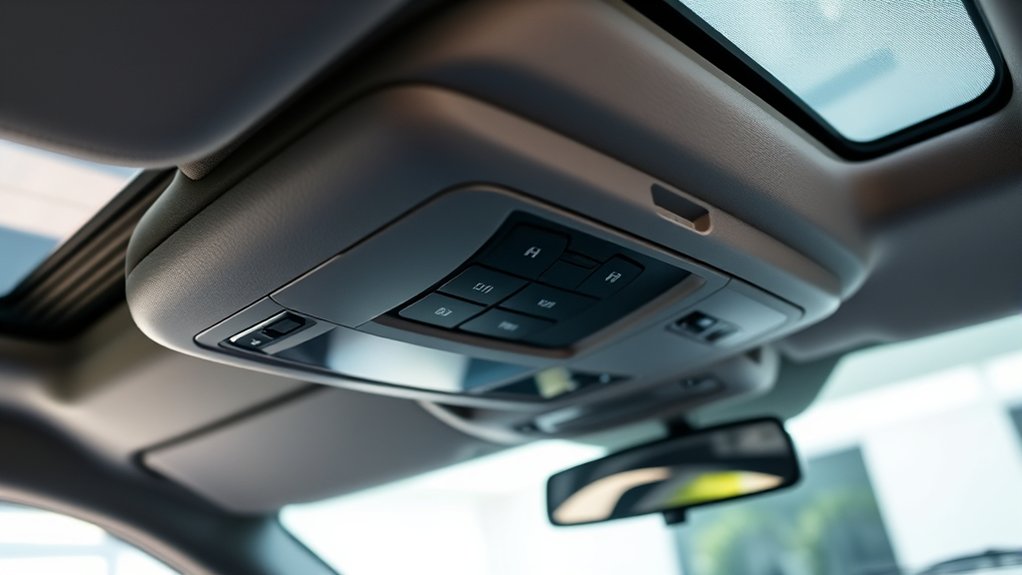
Where exactly do you find the controls for your F-150’s garage door opener? To locate controls, start by checking the overhead console near the rearview mirror inside your truck’s cabin. The garage door opener module is typically integrated here, housing the buttons you’ll need to program.
Alternatively, some F-150 models have the opener controls on the driver’s side sun visor or the overhead dome light panel. Once you locate controls, you’ll want to find the button designated for programming, often marked with a small icon resembling a garage door or labeled “HomeLink.” Pressing this button initiates the programming process.
Make sure to consult your owner’s manual if the controls aren’t immediately visible, as locations can vary by model year and trim level.
Prepare Your Garage Door Remote for Programming
First, locate the battery compartment on your garage door remote and ensure the battery is fresh.
Next, clear any previous remote settings to avoid programming conflicts. This preparation is essential for a smooth and successful programming process.
Locate Remote Battery Compartment
How do you access the battery compartment on your F150 garage door remote? Start by holding the remote firmly and examining its back side. Locate the small indentation or seam that marks the edge of the remote battery compartment.
Use your thumbnail or a small flathead screwdriver to gently pry open this compartment. Avoid applying excessive force to prevent damage. Once opened, you’ll see the remote battery housed inside, typically a coin cell battery.
Take note of the battery type for replacement purposes. Properly locating compartment access is crucial before programming. Ensure the battery is seated securely to maintain power during the programming process.
If the compartment doesn’t open easily, double-check for tiny locking tabs or screws that might secure it. This step prepares your remote for successful programming.
Clear Previous Remote Settings
Why is clearing previous remote settings essential before programming your F150 garage door opener? It ensures no conflicting signals interfere with the new code, providing a seamless connection. Clearing prior settings avoids two word discussion ideas like “signal clash” or “code interference,” which often complicate programming.
Here’s how to clear your remote:
- Press and hold the remote’s button until the LED blinks rapidly, signaling erasure.
- Release the button and wait for the LED to turn off, confirming reset.
- Test the remote; if it doesn’t activate the garage door, the reset succeeded.
Program Your F-150 Garage Door Opener
Where should you begin when programming your F-150 garage door opener? First, ensure your garage door system supports remote compatibility with your vehicle’s built-in opener. Then, follow these steps to program it accurately:
| Step | Action | Detail |
|---|---|---|
| 1 | Turn ignition on | Keep engine off, key in ON |
| 2 | Press “HomeLink” button | Hold for 20 seconds |
| 3 | Release and press again | Indicator light starts blinking |
| 4 | Press garage door remote | Hold near visor, press button |
This process links your F-150’s integrated system to your garage door. Confirm the garage door responds to the programmed button before proceeding. If it doesn’t, repeat the steps and verify your remote’s compatibility.
Sync Your F-150 With Different Garage Door Brands
When syncing your F-150 with various garage door brands, you’ll need to account for differences in frequency, rolling codes, and programming procedures. Each brand may use a unique signal type, affecting remote compatibility and causing pairing delays. To ensure successful syncing, follow these steps:
Syncing your F-150 with garage door brands requires attention to frequency, rolling codes, and specific programming steps.
- Identify your garage door opener’s brand and model to verify frequency compatibility with your F-150’s built-in remote.
- Access the F-150’s garage door programming menu, then initiate the pairing sequence according to the specific brand’s instructions.
- Press the garage door opener’s “Learn” button within the required timeframe to synchronize rolling codes and complete pairing.
Troubleshoot Common F-150 Garage Door Opener Issues
How do you identify and resolve common issues with your F-150’s built-in garage door opener? Begin garage troubleshooting by checking the vehicle’s battery voltage; low power often disrupts signal transmission.
Next, inspect the garage door opener’s antenna for damage or obstruction. Use remote diagnostics by pressing the vehicle’s HomeLink button and observing indicator lights. Rapid blinking signals a programming error.
Clear any programming conflicts by resetting the system according to the owner’s manual. Verify the garage door’s remote frequency matches the F-150’s transmitter.
If the door fails to respond, test the remote outside the vehicle to isolate the problem. Lastly, ensure no physical barriers or interference from other devices affect the signal.
Following these steps systematically will help you diagnose and fix most F-150 garage door opener issues efficiently.
Reprogram Your F-150 After Battery Change
Why does your F-150’s garage door opener need reprogramming after a battery change? The opener’s memory often resets during a battery change, erasing its stored signals. To restore functionality, you must reprogram it promptly.
Follow these reprogramming tips precisely:
- Turn your ignition to the “ON” position without starting the engine.
- Press and hold the garage door opener button in your F-150 until the indicator light begins to flash rapidly.
- While the light flashes, press the button on your garage door remote transmitter to sync the signals.
This procedure ensures your F-150 re-establishes communication with the garage door system. Performing these steps immediately after a battery change prevents frustration and keeps your opener operating smoothly.
Reset Your F-150 Garage Door Opener’s HomeLink System
Where do you start if your F-150’s HomeLink system isn’t responding or needs a fresh setup? Begin by resetting the HomeLink memory to erase previous settings and address any privacy concerns.
Press and hold the two outer HomeLink buttons for about 20 seconds until the indicator light flashes rapidly. This action clears all programmed codes safely, preventing unauthorized access.
Hold the two outer HomeLink buttons for 20 seconds until the light flashes to erase all programmed codes.
Before proceeding, ensure your vehicle’s battery is secure and in good condition, as unstable voltage can affect system resets. After the reset, you’ll need to reprogram your garage door opener from scratch.
Always consult your owner’s manual for model-specific instructions and confirm battery safety to avoid electrical issues during the reset process. This method guarantees a clean slate for reliable HomeLink performance.
Improve Range and Reliability of Your F-150 Opener
To improve the range and reliability of your F-150 opener, start by optimizing the antenna positioning for maximum signal strength. Position the antenna vertically and away from metal obstructions to reduce signal loss.
Additionally, identify and minimize sources of signal interference such as nearby electronic devices or structural barriers.
Optimize Antenna Positioning
How can you ensure your F-150 garage door opener consistently performs at its best? Optimizing antenna positioning is key to minimizing signal attenuation and maximizing range. Proper antenna orientation directly affects signal strength and reliability.
Follow these steps:
- Adjust antenna angle: Position the antenna vertically for optimal transmission, reducing signal loss.
- Elevate the antenna: Mount it higher on the opener unit to avoid physical obstructions that cause attenuation.
- Avoid antenna coiling: Ensure the antenna wire is fully extended and not looped, as coiling weakens signal output.
Reduce Signal Interference
Why does your F-150 garage door opener sometimes struggle with range or reliability? The main cause is signal interference from nearby electronics or structures. To reduce this, you must identify and minimize interference sources.
Don’t ignore specifics like Wi-Fi routers, fluorescent lights, or metal objects near the opener’s antenna.
Use the table below to pinpoint common interference causes and solutions:
| Interference Source | Recommended Action |
|---|---|
| Wi-Fi Routers | Relocate router or opener |
| Fluorescent Lighting | Replace with LED lighting |
| Metal Objects | Remove or reposition objects |
| Other Garage Electronics | Power off or shield devices |
When to Consult a Professional for Your F-150 Opener
When should you call a professional for your F-150 garage door opener? You should seek professional maintenance when the system shows persistent issues beyond basic programming. Safety considerations are essential; mishandling electrical components or mechanical parts can cause injury or damage.
Consider consulting a professional if you encounter:
- Malfunctioning sensors or wiring faults that affect operation.
- Complex programming errors that reset frequently or fail to save.
- Mechanical failures like broken springs or worn gears requiring specialized tools.
A professional technician ensures accurate diagnostics, proper repairs, and adherence to safety protocols. Don’t risk further damage or personal injury by attempting advanced repairs without adequate expertise. Instead, rely on trained professionals to maintain your F-150’s garage door opener for peak performance and safety.
Frequently Asked Questions
Can I Use My F-150 Opener for Multiple Garage Doors Simultaneously?
You can program your F-150 opener for multiple garage doors by using two separate code slots. Avoid off topic unrelated devices, ensuring each door operates independently without interference or confusion during simultaneous use.
Is the F-150 Garage Door Opener Compatible With Smart Home Systems?
Yes, your F-150 garage door opener supports garage compatibility with many smart home systems. You’ll need to complete remote pairing via your vehicle’s controls or app to integrate it seamlessly for remote access and automation.
How Long Does the Programming Process Typically Take?
Right off the bat, the programming duration typically takes about 10 to 15 minutes. When you handle multi door pairing, allocate a few extra minutes to guarantee each door syncs properly and operates smoothly without glitches.
Will Programming the Opener Affect My Vehicle’s Warranty?
Programming won’t typically affect your warranty if you use compatible remotes and follow Ford’s guidelines. Always verify remote compatibility to avoid warranty implications, ensuring the process aligns with your vehicle’s specifications and authorized procedures.
Can I Program the Opener Without the Original Remote Control?
Yes, you can program your garage opener without the remote by using the vehicle’s built-in HomeLink system. Follow your F150’s manual instructions to sync the opener directly via the onboard controls, bypassing the original remote.
Conclusion
Programming your F-150 garage door opener is a straightforward process that puts convenience at your fingertips. By carefully following each step—locating controls, syncing remotes, and troubleshooting—you’ll have your opener working like a well-oiled machine in no time.
Remember, a little patience goes a long way, and if issues persist, don’t hesitate to consult a professional. With these tips, your garage door will open smoothly, as reliable as the truck you drive.
By mastering how to program F-150 garage door opener, you ensure seamless operation every time you pull into your garage.