How to Charge a Battery With a Battery Charger
When you charge a battery with a battery charger, it’s crucial to start by identifying its chemistry and selecting a compatible charger with appropriate voltage and current settings. Skipping safety checks or using the wrong charger can damage the battery or pose hazards.
Proper connection and monitoring during charging ensure efficiency and longevity. To avoid common pitfalls and optimize your process, you’ll need to understand several key steps that go beyond just plugging in your charger.
Key Takeaways
- Verify charger compatibility with the battery’s chemistry and capacity before connecting.
- Connect the positive clamp to the battery’s positive terminal first, then the negative clamp to the negative terminal or grounded surface.
- Charge the battery in a well-ventilated area and monitor voltage and current indicators throughout the process.
- Turn off the charger and disconnect the negative clamp first, then the positive clamp to safely finish charging.
- Regularly inspect and clean battery terminals and use manufacturer-recommended charging modes to prevent damage and overcharging.
Essential Safety Precautions Before Charging a Battery
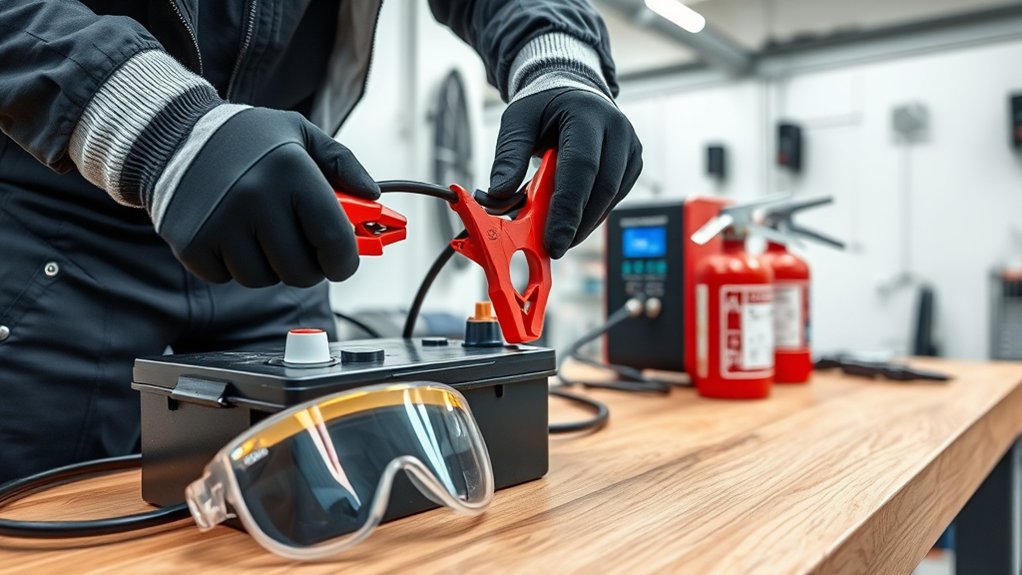
Before you begin charging a battery, how do you ensure your safety and protect the equipment? First, understand the battery chemistry, whether it’s lead-acid, lithium-ion, or nickel-metal hydride, as each requires specific charging parameters to prevent hazards like overheating or thermal runaway.
Verify that the charger safety features match the battery type, including voltage regulation, current limiting, and reverse polarity protection. Always use a charger designed explicitly for the battery’s chemistry to avoid damaging cells or causing explosions.
Additionally, inspect the charger’s cables and connectors for wear or damage that could cause short circuits. Finally, operate in a well-ventilated area to dissipate any gases released during charging. These precautions form the foundation for safe, efficient battery charging and equipment longevity.
Preparing Your Battery: Cleaning and Inspection Steps
A thorough cleaning and inspection of your battery ensure optimal performance and safety during charging. Begin by employing a proper cleaning technique: wear protective gloves, disconnect the battery terminals, and use a mixture of baking soda and water to neutralize acid corrosion on terminals.
Scrub gently with a non-metallic brush, then rinse and dry completely. Next, follow a detailed inspection checklist. Verify the battery case for cracks or leaks, check terminal integrity, and assess electrolyte levels if applicable.
Confirm there are no signs of swelling or deformation, which indicate internal damage. Inspect cables and connectors for fraying or corrosion as well. Completing these steps systematically reduces the risk of charging failure and ensures your battery is in a safe, functional state before proceeding with the charging process.
How to Choose the Right Battery Charger
How do you determine the best battery charger for your specific battery type and usage? Start by analyzing the battery chemistry to ensure compatibility; different chemistries require tailored charging profiles.
Next, consider charger efficiency to minimize energy loss and heat generation during charging. Factor in the charging current relative to your battery’s capacity for optimal performance. Also, assess the charger’s safety features to protect against overcharging or short circuits.
Finally, evaluate the charger’s adaptability to your usage patterns, whether for quick charges or long-term maintenance.
- Confirm compatibility with your battery chemistry (Li-ion, NiMH, lead-acid)
- Check charger efficiency ratings
- Match charging current to battery capacity
- Ensure robust safety mechanisms
- Verify adaptability to your charging frequency and duration
Choosing precisely saves time and extends battery life.
How to Pick the Right Charging Mode for Your Battery
You need to identify your battery’s chemistry, whether lead-acid, lithium-ion, or nickel-based, since each type requires specific charging parameters. Then, adjust your charger to the mode that matches those requirements to ensure ideal charging efficiency and battery longevity.
Incorrect settings can lead to undercharging, overcharging, or even damage.
Understanding Battery Types
Since different battery chemistries require specific charging parameters, selecting the appropriate charging mode is critical for safety and efficiency. You need to understand the battery type to ensure charging safety and optimize performance. Each battery chemistry responds differently to voltage, current, and temperature during charging.
Common battery types include:
- Lead-acid: Requires controlled voltage and temperature monitoring.
- Lithium-ion: Demands precise voltage limits and current tapering.
- Nickel-Cadmium (NiCd): Needs periodic full discharge to prevent memory effect.
- Nickel-Metal Hydride (NiMH): Sensitive to overcharging, requiring temperature-based cutoff.
- Gel and AGM: Variants of lead-acid with stricter voltage controls.
Matching Charger Settings
Selecting the proper charging mode hinges on the specific battery chemistry identified earlier. Different chemistries, such as lead-acid, lithium-ion, or nickel-metal hydride, demand distinct voltage and current profiles. You must match your charger’s settings precisely to these requirements to ensure charging safety and optimize battery lifespan.
For instance, lithium-ion batteries require constant current/constant voltage (CC/CV) modes, while lead-acid batteries often use bulk, absorption, and float stages. Using an incorrect mode risks overcharging, overheating, or permanent capacity loss.
Always consult the battery manufacturer’s specifications and adjust your charger accordingly. Modern chargers often include selectable modes or automatic detection features, but manual verification remains critical. By aligning charger settings with battery chemistry, you maintain charging safety and maximize performance.
Connecting Your Battery Charger Correctly
How do you guarantee a secure and effective connection when attaching your battery charger? Start by understanding the battery chemistry, as it dictates polarity and charging requirements. Observing proper charging etiquette prevents damage and ensures safety.
Follow these critical steps:
- Confirm the charger is compatible with your battery’s chemistry (lead-acid, lithium-ion, etc.).
- Identify the positive (+) and negative (−) terminals on both battery and charger.
- Connect the positive clamp to the battery’s positive terminal first.
- Attach the negative clamp to the negative terminal or a grounded metal surface away from the battery.
- Double-check all connections for firmness and correct polarity before powering on the charger.
Adhering to this protocol minimizes risk, optimizes charge efficiency, and prolongs battery lifespan.
How Long to Charge Your Battery Safely
You should charge your battery for the recommended duration based on its capacity and charger specifications. Monitor indicators like voltage stabilization or charger auto shut-off to determine when the battery is full.
Charging beyond this point risks overheating, reduced battery life, and potential safety hazards.
Ideal Charging Duration
When should you stop charging your battery to guarantee safety and longevity? The ideal charging duration depends on battery chemistry and the number of charge cycles. Overcharging can degrade capacity, while undercharging reduces runtime.
To optimize charging time, consider:
- Battery chemistry: Lithium-ion, NiMH, and lead-acid have distinct charging profiles.
- Charger specifications: Match charger output current to battery capacity.
- Manufacturer recommendations: Follow specified charge times and limits.
- Charge cycles: Frequent partial charges may extend battery life over full charges.
- Temperature monitoring: Elevated heat shortens battery lifespan and signals to stop charging.
Indicators of Full Charge
What signals indicate that your battery has reached a full charge? Primarily, you should monitor the charger’s indicator lights or display. Many chargers switch from a charging to a maintenance or “full” mode, signaling completion.
Voltage stabilization is another precise signal. Once the voltage plateaus near the battery’s rated maximum, charging is complete. Temperature changes also serve as a technical cue; an abrupt rise may indicate near-full charge.
Avoid getting distracted by irrelevant topics or stray details like color changes in the battery casing or minor sounds from the charger, as these don’t reliably indicate charge status. By focusing on clear, measurable indicators such as voltage and charger feedback, you ensure your battery reaches full charge safely and efficiently without guesswork.
Risks of Overcharging
Although modern battery chargers often include automatic shutoff features, overcharging remains a significant risk that can shorten battery lifespan and compromise safety. You need to monitor charging duration carefully to mitigate overcharging risks and ensure battery safety.
Charging beyond the recommended time can cause:
- Excessive heat buildup, leading to thermal runaway
- Electrolyte depletion, reducing battery capacity
- Internal corrosion, impairing battery integrity
- Swelling or leakage, posing safety hazards
- Permanent capacity loss, shortening usable life
To charge your battery safely, always follow manufacturer guidelines on charge time and use chargers with reliable cut-off mechanisms. Regularly inspect the battery during charging and avoid leaving it unattended for extended periods.
How to Monitor the Charging Process
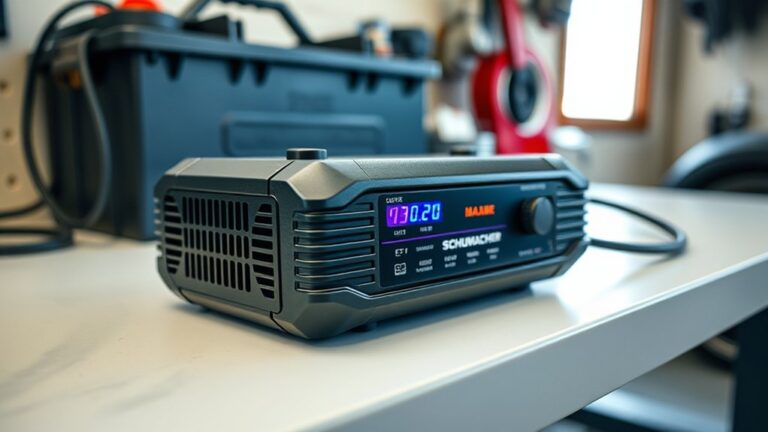
A battery charger’s display and indicator lights provide essential data for actively monitoring the charging process. You should regularly check voltage, current, and charge status to ensure parameters remain within manufacturer specifications.
Ignoring these indicators or focusing on an irrelevant topic, like ambient temperature beyond recommended ranges, can expose you to avoidable risk, such as overcharging or overheating. Use the charger’s digital readout or LED signals to confirm the battery progresses through bulk, absorption, and float stages correctly.
If the charger supports programmable settings, verify these match your battery’s chemistry and capacity. Continuous observation helps you intervene promptly if anomalies arise, maintaining safety and optimizing battery health.
Avoid complacency; precise monitoring minimizes hazards and extends battery lifespan effectively.
What to Do If Your Battery Won’t Charge Properly?
If your battery won’t charge properly, start by identifying common issues such as poor connections, faulty cables, or incorrect charger settings. You’ll need to systematically troubleshoot each potential problem to isolate the cause.
Addressing these factors methodically ensures you restore proper charging functionality efficiently.
Common Charging Issues
Why won’t your battery charge properly despite following the correct procedure? Several common issues can impede charging efficiency and battery health. Understanding these helps you avoid improper battery disposal and optimize home solar charging systems.
Corroded terminals: Dirt or oxidation blocks current flow.
Incorrect charger settings: Voltage or current mismatches prevent full charge.
Battery sulfation: Lead-acid batteries develop sulfate crystals reducing capacity.
Internal battery damage: Physical faults or age degrade performance.
Ambient temperature extremes: High or low temperatures affect chemical reactions during charging.
Addressing these factors ensures proper charging and extends battery lifespan. Always verify your charger compatibility and environmental conditions before charging, especially in home solar charging setups, to prevent premature battery disposal.
Troubleshooting Charging Problems
How can you effectively diagnose and resolve issues when your battery refuses to charge correctly? First, verify all connections are secure and terminals clean to ensure proper current flow.
Use a multimeter to check the battery’s voltage; if it reads below the manufacturer’s threshold, the battery may be deeply discharged or defective. Review your charging etiquette: avoid overcharging or using incompatible chargers, as these can damage the battery’s cells.
If the battery shows signs of swelling, leakage, or persistent failure to hold charge, consider safe battery disposal following local regulations. In such cases, replacing the battery is often more cost-effective and safer than attempting repair.
Systematically assessing these factors helps you pinpoint the problem and maintain battery health efficiently.
How to Disconnect Your Battery Charger Safely
Once the battery has reached a full charge, you must disconnect the charger methodically to prevent electrical hazards and damage to the battery. Ethical considerations in battery handling demand that you prioritize safety over convenience, despite marketing angles that may promote quick disconnection.
Follow these steps:
- Turn off the charger to stop current flow.
- Disconnect the negative (black) clamp first to minimize short-circuit risk.
- Then detach the positive (red) clamp carefully.
- Avoid touching clamps together or to metal surfaces.
- Store the charger properly to maintain its longevity and safety.
How to Maintain Your Battery for Better Charging Performance
When should you perform routine maintenance on your battery to ensure optimal charging efficiency? Ideally, you should inspect and maintain your battery every three months or more frequently if you use wireless charging, as it can generate additional heat affecting battery chemistry.
Start by cleaning terminals to prevent corrosion, which impedes current flow and reduces charging performance. Monitor electrolyte levels in lead-acid batteries and top up distilled water as needed, ensuring the chemical balance remains stable.
Clean terminals to prevent corrosion and check electrolyte levels in lead-acid batteries to maintain optimal charging performance.
Avoid overcharging or deep discharging, as these stress battery chemistry and shorten lifespan. Calibrate smart chargers periodically to align with your battery’s state of charge.
Finally, store batteries in a cool, dry environment to minimize self-discharge and degradation. Precise, scheduled maintenance enhances charging efficiency and prolongs battery health.
Frequently Asked Questions
Can I Charge Different Types of Batteries With the Same Charger?
You can’t charge different battery types with the same charger unless it supports charge compatibility.
Always verify charger safety features and specifications to prevent damage or hazards when switching between battery chemistries or voltages.
What Are the Environmental Impacts of Battery Charging?
Ever wondered how your charging habits affect the planet? You’re increasing your environmental footprint through energy use and battery wear.
Proper recycling impact reduces waste, so you should optimize charging to minimize environmental harm and promote sustainability.
How Do Extreme Temperatures Affect Battery Charging Efficiency?
Extreme temperatures reduce charging efficiency by slowing chemical reactions inside the battery. You’ll notice that in cold conditions, charging takes longer, while high heat accelerates degradation.
This ultimately decreases the battery’s overall lifespan and performance.
Can Overcharging Damage My Battery Permanently?
Sure, go ahead and overcharge your battery nonstop because who cares about overcharge risks or battery degradation? In reality, overcharging causes irreversible chemical changes, reducing capacity and lifespan. You shouldn’t let it happen if you want your battery lasting long.
Are Smart Chargers Worth the Extra Cost?
Smart chargers are worth the extra cost due to improved charging efficiency, reduced overcharge risks, and enhanced battery longevity. Their versatility and compatibility with various types support sustainability despite initial cost concerns.
They also have a positive environmental impact, making them a more responsible choice overall.
Conclusion
To charge your battery effectively, always choose the right charger and connect the terminals correctly. Monitor voltage and current carefully to ensure safe and efficient charging. Avoid overcharging to protect the battery’s health.
Prioritize safety by inspecting cables before use and working in well-ventilated areas. Follow the manufacturer’s guidelines closely to prevent accidents.
Maintain your battery regularly and address any charging issues promptly. Disconnect the charger properly once the battery is fully charged.
By following these precise, consistent steps when using a battery charger, you’ll ensure optimal battery performance, extend battery life, and prevent potential hazards during the charging process.