How to Permanently Disable Auto Start/Stop Ford f150
You want to permanently disable Auto Start/Stop on your Ford F-150 to keep your engine running and have full control over your vehicle’s behavior. While the dashboard button offers a quick fix, it only works temporarily and resets each time you start your truck.
To make the change permanent, you’ll need to explore the vehicle’s settings menus or consider hardware solutions such as modules that override the feature.
Before you proceed, it’s important to understand how these methods may affect your vehicle’s system and warranty. Always consult your owner’s manual or a professional technician to ensure the best approach for your Ford F-150.
Key Takeaways
- Access the Vehicle Settings menu via the infotainment system to toggle off Auto Start/Stop permanently and save changes.
- Use a scanner interface to disable Auto Start/Stop at the software level, ensuring changes are saved before disconnecting.
- Install a compatible third-party OBD-II bypass module designed for the Ford F-150 for permanent Auto Start/Stop disablement.
- Verify model year and engine compatibility before installing bypass devices and follow provided wiring and programming instructions.
- Restart the vehicle after disablement to confirm the system remains off and check for any dashboard Auto Start/Stop icons.
How Auto Start/Stop Works on the Ford F-150

How exactly does the Auto Start/Stop system operate on your Ford F-150? It monitors vehicle conditions and automatically shuts off the engine when you come to a complete stop, conserving fuel and reducing emissions. Once you release the brake, the engine restarts seamlessly.
This system passes rigorous idle tests to ensure smooth operation without compromising performance or battery health. Despite common eco myths suggesting frequent restarts harm the engine, Ford’s design optimizes durability under normal use.
The system uses sensors to assess factors like battery charge, engine temperature, and cabin conditions before activating. Understanding this precise operation helps clarify why the feature aims to balance fuel efficiency with driver convenience, rather than just a simplistic fuel-saving gimmick.
Why You Might Want to Disable Auto Start/Stop on Your Ford F-150
Why might you consider disabling the Auto Start/Stop feature on your Ford F-150? This system aims to improve fuel efficiency and reduce emissions but may not align with your specific needs.
For instance, frequent engine restarts can cause minor wear to components, which might be a concern if you prioritize long-term engine durability. Additionally, the system’s operation can feel intrusive during stop-and-go driving or towing, impacting your driving experience.
Some drivers find the feature’s benefits not relevant to their typical use cases, especially if you drive primarily on highways or in conditions where the engine runs continuously. Addressing this avoids confusion with unrelated topics such as general fuel economy tips or aftermarket modifications, keeping focus strictly on the technical rationale for disabling Auto Start/Stop.
How to Check If Your Ford F-150 Has Auto Start/Stop Enabled
Wondering whether your Ford F-150 has the Auto Start/Stop feature enabled? Start by consulting your owner’s manual or the vehicle settings menu via the infotainment system. Navigate to the settings related to engine or fuel management; if Auto Start/Stop is active, it will be clearly indicated.
You can also observe the dashboard for the Auto Start/Stop icon—a capital “A” with a circular arrow—illuminating during operation. Checking this is essential before making irreversible choices like permanently disabling the system, which could affect warranty coverage.
Ford may consider tampering with factory settings a warranty concern, so verify activation status precisely and document it. This approach ensures you make informed decisions while safeguarding your vehicle’s warranty and functionality.
Using the Dashboard Button to Temporarily Turn Off Auto Start/Stop on Ford F-150
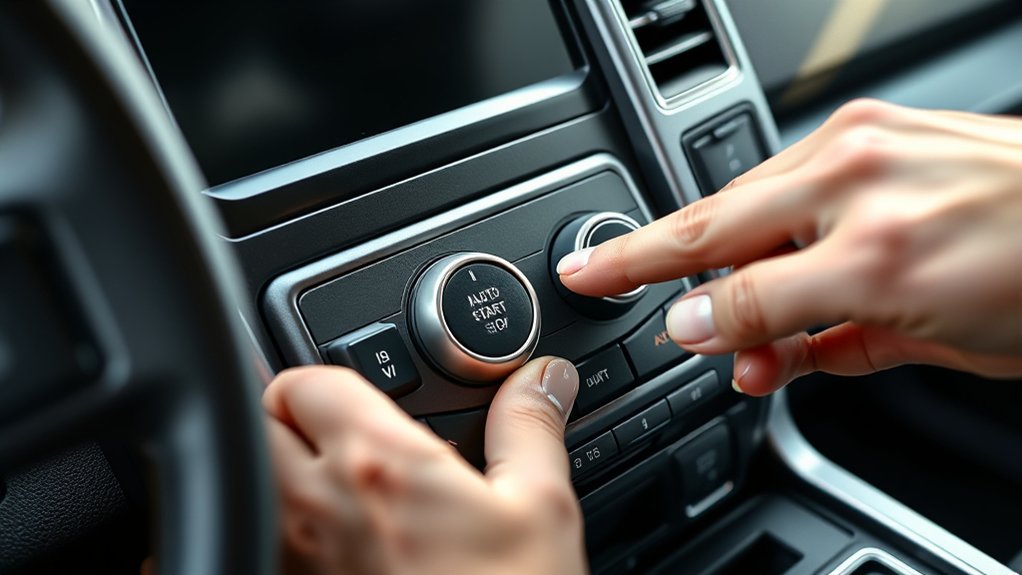
You can temporarily disable the auto start/stop feature on your Ford F-150 by using the dedicated button on the dashboard. Locate the button, usually marked with an “A” surrounded by a circular arrow, near the driver’s side controls.
Pressing this button will deactivate the system for the current drive cycle but resets when the engine restarts.
Locating The Auto Stop Button
Where can you quickly disable the Auto Start/Stop feature on your Ford F-150? The control lies on the dashboard, typically near the steering column or center console. Look for a button marked with an “A” encircled by an arrow, signaling the Auto Stop function.
This button allows you to temporarily override the system without diving into unrelated tech or complex office setups. Its placement ensures quick access while driving, minimizing distraction.
Identifying this button is essential before attempting any permanent disable procedures. If you’re unfamiliar, check your owner’s manual for exact location details, as it can vary slightly by model year.
Knowing this dashboard button’s position lets you manage Auto Start/Stop efficiently and safely during your drive.
Temporary Disable Procedure
Once you’ve located the Auto Stop button on your Ford F-150 dashboard, you can temporarily disable the Auto Start/Stop feature with a quick press. This method addresses the feature without delving into irrelevant topics or unrelated themes like permanent deactivation.
Here’s how to proceed:
- Press the Auto Stop button once; the indicator light should illuminate, signaling temporary deactivation.
- Drive normally; the system remains off until you restart the engine.
- After the engine restarts, the system will automatically reset, re-enabling Auto Start/Stop.
This temporary disable procedure offers a straightforward, non-invasive way to override the feature during specific drives without engaging complicated or irrelevant configurations. It’s ideal if you want quick control without permanent changes.
Permanently Disable Auto Start/Stop on Ford F-150 via Vehicle Settings
You’ll start by accessing the Vehicle Settings menu through your F-150’s infotainment system. Next, locate the Auto Start/Stop option within the settings.
Finally, save your changes to disable the feature permanently.
Access Vehicle Settings Menu
How do you navigate the Ford F-150’s interface to access the vehicle settings menu? Avoid getting sidetracked by irrelevant topic or off topic discussion that might confuse the process. Follow these exact steps for precision:
- Start your truck and wait for the infotainment system to load fully.
- Press the “Settings” icon on the touchscreen, usually located on the home screen.
- Scroll through the menu options using the touchscreen or steering wheel controls until you find “Vehicle Settings,” then select it.
This method ensures you enter the correct menu efficiently without distraction. Staying focused on these steps will prevent unnecessary confusion or irrelevant detours, making the process straightforward and ready for the next action.
Locate Auto Start/Stop Option
Where can you find the Auto Start/Stop option within the vehicle settings? On your Ford F-150, navigate to the main settings menu via the touchscreen interface. From there, select “Vehicle Settings” or “Driver Assist” depending on your model year.
Within this submenu, look specifically for “Auto Start/Stop” or “Start/Stop System.” Avoid getting sidetracked by irrelevant topics like audio preferences or unrelated ideas such as navigation settings, as these won’t help in disabling the feature.
The option is typically presented as a toggle or checkbox. If you don’t see it immediately, use the on-screen search function to enter “Auto Start/Stop.” This targeted approach saves time and ensures you access the precise setting necessary to proceed with disabling the system.
Save Changes Permanently
After locating the Auto Start/Stop option in your Ford F-150’s settings, the next step involves saving your changes to disable the feature permanently. Avoid distractions from irrelevant topics or off topic menus that may confuse the process. Follow these steps:
- Confirm the Auto Start/Stop toggle is set to “Off.”
- Navigate to the “Save Settings” or “Apply Changes” button, ensuring your input registers correctly.
- Exit the settings menu and restart your vehicle to verify the Auto Start/Stop feature remains disabled.
This method ensures your preferences persist across vehicle restarts. Skipping the save function results in default settings reactivating the feature, which is a common pitfall. Stay focused and avoid irrelevant topic sections to guarantee a permanent disablement.
Using a Ford OBD-II Scanner to Disable Auto Start/Stop
Frequently, using a Ford OBD-II scanner provides a reliable method to disable the Auto Start/Stop feature on your F150. To begin, connect the scanner to your truck’s OBD-II port, usually located under the dashboard.
Power on the scanner and navigate to the vehicle’s control module settings. Select the Auto Start/Stop function and access its configuration options. Using the scanner’s interface, you can deactivate the feature by changing its status from “enabled” to “disabled.”
Ensure you save these changes before disconnecting. This process involves precise steps, so avoid unrelated topic settings like emission diagnostics or unrelated two word ideas such as “fuel efficiency” tweaks, which won’t affect Auto Start/Stop.
This method offers a direct, software-level adjustment without hardware modifications.
Third-Party Modules Compatible With Ford F-150 to Bypass Auto Start/Stop
You can use popular third-party modules designed specifically to bypass the Auto Start/Stop feature on your Ford F-150. These devices typically plug into your OBD-II port and are compatible with various model years.
Installation is straightforward, but you should verify compatibility with your exact truck model before purchase.
Popular Auto Stop Bypass
Several third-party modules offer reliable solutions to bypass the Auto Start/Stop system on Ford F-150 trucks. These devices intervene electronically to prevent the engine from shutting off during idle, enhancing driving comfort without triggering error codes.
When considering options, avoid irrelevant topic discussions or off-topic features unrelated to Auto Stop functionality. The top three popular bypass modules include:
- BMS Auto Stop Eliminator Direct plug-and-play design, widely praised for seamless integration.
- AutoStop Defender by RR Customs Offers adjustable parameters for start/stop sensitivity.
- Vivid Automotive Auto Stop Delete Compact unit with minimal wiring, ideal for quick installation.
These modules maintain factory warranty integrity while providing a permanent disable solution, ensuring you regain full engine control efficiently.
Installation and Compatibility
Although installation processes vary by module, most third-party Auto Start/Stop bypass units designed for Ford F-150 trucks offer straightforward plug-and-play setups that require minimal wiring and no permanent modifications. You’ll typically connect these modules to the vehicle’s OBD-II port or the start/stop system wiring harness, ensuring compatibility with model years and engine types.
Before purchasing, verify the module’s firmware supports your F-150’s specific configuration to avoid irrelevant topic confusion or unrelated discussion around general vehicle compatibility. Installation instructions usually provide clear wiring diagrams and programming steps, reducing guesswork.
Keep in mind that some modules may require periodic updates via a computer interface to maintain proper function with Ford’s software updates, so ensure the product supports ongoing compatibility and technical support for seamless operation.
Risks and Warranty When Disabling Auto Start/Stop on Your Ford F-150
When you disable the auto start/stop feature on your Ford F-150, you risk voiding certain aspects of your vehicle’s warranty. Disabling risks include potential damage to engine components and electronic systems designed to function with this feature active.
The warranty impact can vary, but Ford may deny coverage for issues linked to unauthorized modifications. Consider these points before proceeding:
- Warranty Nullification: Modifications may void powertrain and emissions system warranties.
- Diagnostic Challenges: Service centers might refuse repairs if software tampering is detected.
- Liability Concerns: Any damage arising from disabling auto start/stop becomes your responsibility.
Understand these disabling risks and warranty impact thoroughly to avoid costly repairs or denied claims on your Ford F-150.
Impact on Fuel Economy and Emissions After Disabling Auto Start/Stop
Beyond warranty concerns, disabling the auto start/stop feature directly affects your Ford F-150’s fuel economy and emissions profile. This system reduces fuel consumption and lowers emissions by shutting off the engine during idling. When you disable it, expect increased fuel use, especially in stop-and-go traffic, and higher emissions output.
These changes may lead to irreversible consequences for your vehicle’s environmental compliance. Additionally, you should consider legality concerns, as tampering with emission control systems can violate regulations in certain jurisdictions, potentially resulting in fines or failed inspections.
Before proceeding, weigh the immediate convenience against long-term operational and legal impacts. Understanding these technical trade-offs helps you make an informed decision about permanently disabling the auto start/stop function on your Ford F-150.
Troubleshooting Engine and System Issues After Disabling Auto Start/Stop
How do you address engine and system malfunctions after disabling the auto start/stop feature on your Ford F-150? Start by ensuring your modifications don’t compromise critical sensor data or ECU functions. Focus on these steps:
- Diagnostic Scan: Use an OBD-II scanner to identify error codes triggered by disabling the system. Address any faults related to the battery management or emission controls promptly.
- Aftermarket Tuning Verification: Confirm that your aftermarket tuning supports the disabled auto start/stop state to prevent conflicts that could impair engine performance or trigger warning lights.
- Evaluate Off Road Performance: Test your truck in off road conditions to ensure the engine and electrical systems maintain stability without auto start/stop. Adjust tuning parameters as needed for optimal responsiveness.
This approach minimizes disruptions and maintains reliable operation after modification.
Frequently Asked Questions
Can Disabling Auto Start/Stop Affect My Ford F-150’s Resale Value?
Disabling auto start/stop may slightly reduce your Ford F-150’s resale value, as some buyers prefer factory settings. However, it can improve battery life impact by reducing frequent engine restarts, balancing benefits and drawbacks effectively.
Does Auto Start/Stop Impact the Performance of Towing With a Ford F-150?
Auto start/stop can slightly disrupt towing performance by causing brief engine shutdowns during stops, potentially affecting trailer stability.
You can disable it for smoother towing, ensuring consistent power delivery and improved control throughout your haul.
Are There Any Legal Restrictions on Disabling Auto Start/Stop in My Area?
Legal restrictions on disabling auto start/stop vary like shifting gears by region. You’ll need to check local laws, as environmental concerns often drive regulations.
Ignoring these could lead to fines or void warranty protections.
How Does Auto Start/Stop Interact With Remote Start Features on the Ford F-150?
Auto start/stop temporarily pauses during remote start to preserve battery life and emissions control. Disabling auto start affects this balance, so consider ownership implications like warranty and fuel efficiency before modifying these systems on your Ford F-150.
Will Disabling Auto Start/Stop Affect My Ford F-150’s Battery Life?
Disabling auto start/stop is like turning off a gentle rain that conserves your battery health and fuel economy. It may slightly increase your battery’s workload and fuel consumption, but modern systems handle this without major issues.
Conclusion
Disabling Auto Start/Stop on your Ford F-150 can improve your driving experience, but are you ready to weigh the trade-offs? While it’s simple to toggle off via settings or use third-party modules for a permanent fix, remember the potential impacts on warranty, emissions, and fuel economy.
Always verify compatibility and monitor your vehicle’s performance after changes. Taking control is your choice—just make sure you understand the technical and legal implications before proceeding.
If you decide to go forward, knowing how to permanently disable Auto Start/Stop Ford F-150 will help you make an informed decision and achieve the results you want.