How to Reset Ford f150 Door Code Without Factory Code
If you’ve lost or forgotten your Ford F-150 door code and don’t have the factory code, resetting the Ford F-150 door code without the factory code requires exploring alternative methods. These methods often involve locating your vehicle’s serial number or accessing the onboard menu system.
However, these steps require careful attention to detail and proper authorization. Understanding the process fully is essential before attempting any reset or retrieval options. This helps avoid unnecessary complications and ensures you regain access safely.
Key Takeaways
- Disconnect the vehicle battery for 15 minutes to trigger a system reset that may clear the door code.
- Use an OBD-II scanner with advanced access to reset the Ford F-150 security and door code settings.
- Consult a certified locksmith who can reset or bypass the door code without needing the factory code.
- Contact Ford support or a dealership for alternative solutions if the factory code is unavailable.
- Check for a manual override or default master code in the vehicle manual or through dealer assistance.
How to Find Your Ford F150 Serial Number Without the Factory Code
Where can you locate your Ford F150 serial number if you don’t have the factory code? Start by checking the driver’s side door jamb; the serial number is often stamped on the metal frame near the latch.
Alternatively, inspect the glove compartment or under the dashboard on the driver’s side, where the serial plate might be mounted. If these areas don’t yield results, consult the vehicle’s original paperwork or the Ford dealership, as they can assist with finding ignition codes linked to your truck’s keyless history.
Keep in mind, the serial number is essential for verifying your truck’s identity and retrieving keyless entry information. Being precise in finding this number expedites the process of learning keyless history without the factory code.
Using Your Serial Number to Retrieve or Reset the Ford F150 Door Code
How do you use your Ford F150’s serial number to retrieve or reset the door code? You’ll typically need to contact a Ford dealership or a professional locksmith. The serial number proves ownership and allows authorized personnel to access the security system.
Dealership procedures often involve verifying your identity before providing or resetting the code. Alternatively, finding locksmith services experienced with Ford models can expedite the process if dealership access isn’t feasible.
| Step | Action |
|---|---|
| 1 | Locate your Ford F150 serial number |
| 2 | Contact dealership or professional locksmith |
| 3 | Provide serial number and proof of ownership |
| 4 | Follow dealership procedures or locksmith instructions |
| 5 | Receive or reset your door code securely |
Resetting Your Ford F150 Door Keypad via the Vehicle’s Menu
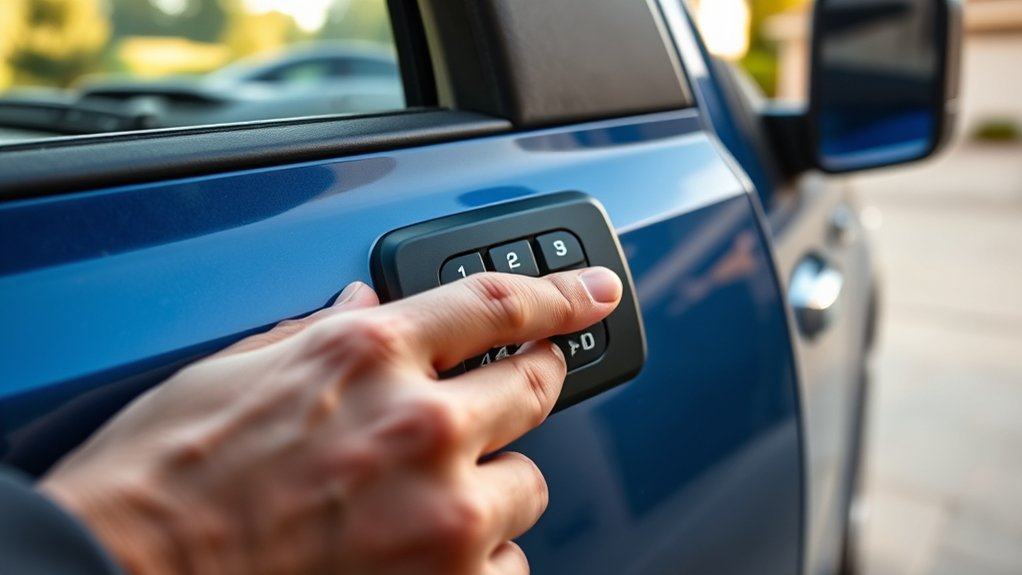
Wondering how to reset your Ford F150 door keypad without the factory code? You can use the vehicle’s onboard menu system to perform this reset efficiently.
Start by turning the ignition to the “On” position without starting the engine. Navigate the dashboard display using the steering wheel controls, accessing the “Settings” or “Vehicle” menu.
Locate the “Keypad” or “Door Keypad” option, which manages your lockout protocols. From here, select “Reset” or “Change Code.” The system will prompt you to enter a new 5-digit code, bypassing the need for the original factory code.
This method directly interacts with the vehicle’s internal security system, ensuring the door keypad resets securely. Remember, adhering to lockout protocols prevents unauthorized access while allowing you to regain control.
Alternative Ways to Reset or Bypass Your Ford F150 Door Code
If you can’t access your Ford F150 door keypad through the standard reset process, several alternative methods exist to reset or bypass the code. One unlocking method involves disconnecting the vehicle’s battery for 15 minutes to trigger a system reset, which can clear stored codes.
Another practical strategy is using an OBD-II scanner with advanced access capabilities to reset security settings directly. Additionally, some models allow manual override by entering a default or master code found in the owner’s manual or via dealer assistance.
If these methods fail, contacting Ford support or a certified locksmith offers alternative strategies to regain access without the factory code. Always ensure you verify ownership before attempting these unlocking methods to avoid security breaches or warranty issues.
Tips for Creating a Secure and Easy-to-Remember Ford F150 Door Code
Why choose a complicated door code for your Ford F150 when you can create one that balances security and memorability? Start by avoiding obvious sequences like “1234” or repetitive digits, as these increase security risks.
Instead, use a combination of numbers meaningful only to you, such as a significant date altered with a consistent pattern. Employ memory aids like associating the code with a simple phrase or a visual cue to ensure quick recall without writing it down.
Change your code periodically to mitigate unauthorized access. Avoid sharing your code or storing it in easily accessible places.
When to Call a Professional for Ford F150 Door Code Problems
How do you determine when a Ford F150 door code issue requires professional assistance? If you’ve exhausted standard reset methods without success, or if the keypad is unresponsive due to hardware faults, it’s time to call a professional.
Attempting complex resets without proper tools can increase security risks, potentially triggering the vehicle’s anti-theft system or causing permanent lockouts. Additionally, if you suspect tampering or unauthorized access attempts, a technician can assess and mitigate these risks effectively.
Following best practices, professionals use diagnostic equipment to safely reset or reprogram your door code while preserving system integrity. Don’t delay seeking expert help when facing recurring lockouts or keypad malfunctions; addressing these promptly ensures your vehicle’s security and functionality remain uncompromised.
Frequently Asked Questions
Can I Reset the Ford F150 Door Code Without Any Tools?
You can’t reset the Ford F150 door code without tools because the reset process requires access to the vehicle’s onboard diagnostics or programming module.
Without proper equipment, you won’t complete the reset process effectively.
Does Resetting the Door Code Affect the Vehicle’s Warranty?
Resetting the door code typically doesn’t have a warranty impact if you follow the manufacturer’s reset procedure compatibility guidelines. Avoid unauthorized methods to ensure your vehicle’s warranty remains intact and the security system functions properly.
How Often Should I Change My Ford F150 Door Code?
Like changing the oil, you should change your Ford F150 door code every 6 to 12 months. Regular change frequency is a key maintenance tip to enhance vehicle security and prevent unauthorized access effectively.
Can a Dead Battery Prevent Resetting the Door Code?
Yes, a dead battery can prevent resetting your Ford F150 door code because it disrupts power to the system.
If you’ve forgotten your passcode, guarantee the battery is charged before attempting a reset to avoid errors.
Are There Common Mistakes to Avoid When Entering the Door Code?
Think of the door code as a lock’s heartbeat; common mistakes like rushing entries or ignoring door code validation disrupt its rhythm.
You’ve got to be precise and patient to guarantee successful code acceptance every time.
Conclusion
Just like a locksmith holds the key to a treasure chest, your Ford F-150’s door code safeguards your ride’s security. Without the factory code, navigating the reset process demands patience and the right steps—using your serial number or the vehicle’s menu. Always prioritize authorized methods to avoid complications.
When in doubt, calling a professional ensures you won’t be locked out of your own journey. Stay secure, stay smart, and keep your code within reach. Remember, knowing how to reset Ford F150 door code without factory code can save you time and hassle when you need it most.