How to Use a Battery Charger 12V
You might not realize that improper connection of a 12V battery charger can permanently damage your battery or pose safety risks. When using a battery charger 12V, it’s crucial to verify compatibility and follow precise steps to connect the charger correctly.
Understanding the right charging mode and knowing when to stop can also extend your battery’s lifespan significantly. Let’s explore the essential procedures that ensure both safety and efficiency during the charging process.
Key Takeaways
- Ensure the 12V battery and charger are compatible, inspect for damage, and work in a ventilated area without metal jewelry.
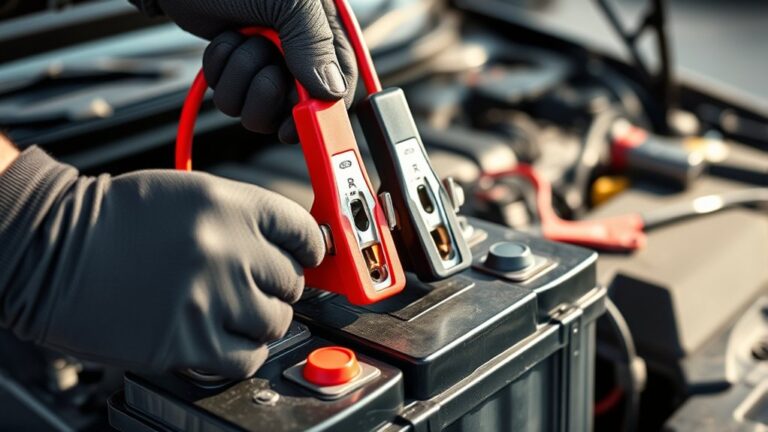
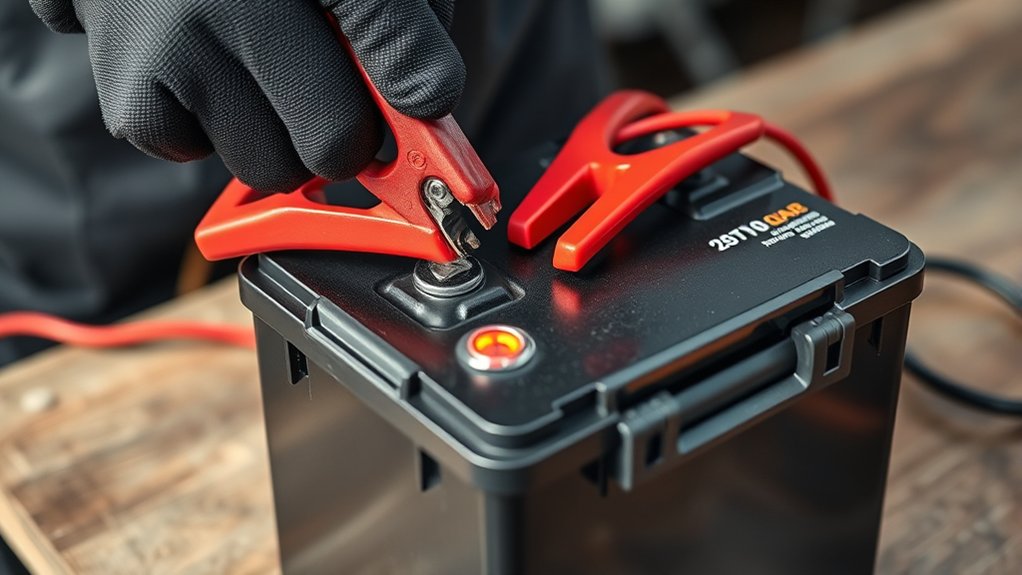
- Connect the charger clamps to matching battery terminals: red to positive (+) and black to negative (−), with the charger turned off.
- Select the correct charging mode and voltage based on the battery type, such as lead-acid, AGM, or gel.
- Monitor charging progress by checking voltage (12.6–12.8V full charge) and current, stopping when the battery is fully charged.
- Address issues like slow charging or overheating by verifying connections, mode settings, ventilation, and inspecting cables or fuses.
Preparing Your 12V Battery Charger and Battery Safely
How should you prepare your 12V battery charger and battery before starting? First, ensure both the charger and battery are compatible and in good condition. Inspect the battery for damage or leaks; never proceed if corrosion or cracks are present.
Confirm the charger is unplugged and turned off. Place the battery on a stable, non-conductive surface. Avoid any unrelated topic or off topic discussion during preparation to maintain focus and safety. Remove metal jewelry to prevent accidental short circuits.
Check the charger’s cables and clamps for wear or damage. Ventilate the area well since batteries can emit harmful gases. By following these precise steps, you minimize risks and set a solid foundation for safe charging without distractions or errors.
Connecting Your 12V Battery Charger Correctly
Where should you attach the charger clamps to guarantee a proper connection? Always connect cables to the battery terminals matching polarity: positive clamp to positive (+) terminal, negative clamp to negative (−) terminal. This ensures safety and effective charging, especially considering battery chemistry differences.
For lead-acid batteries, connect clamps directly; for some lithium batteries, check manufacturer recommendations.
| Clamp Color | Terminal Connection |
|---|---|
| Red | Positive (+) Terminal |
| Black | Negative (−) Terminal |
Before connecting, ensure the charger is off. Attach clamps firmly to avoid sparks or loose connections. Confirm battery chemistry compatibility with your charger to prevent damage. Following these steps guarantees optimal charging performance and extends battery life.
Choosing the Right Charging Mode and Voltage
Although connecting your charger correctly is essential, selecting the appropriate charging mode and voltage is equally important to guarantee battery health and efficiency. You need to identify your battery type, such as lead-acid, AGM, or gel, and choose the charger mode accordingly: bulk, absorption, or float.
Each mode delivers a specific voltage and current profile tailored to optimize charging without overloading or damaging the battery. Setting the charger to an incorrect voltage risks undercharging or overheating, reducing battery lifespan.
Avoid addressing invalid topics or unrelated concerns such as general electrical safety or charger brand preferences here, as they dilute focus. Stick strictly to mode and voltage selection based on your 12V battery specifications to ensure precise, safe, and effective charging every time.
Monitoring Charging and Knowing When to Stop
Once you’ve selected the correct charging mode and voltage, you need to keep a close eye on the charging process to prevent overcharging or undercharging. Monitoring charging involves regularly checking voltage and current levels. Use the charger’s indicators and a multimeter to track progress.
Knowing when to stop is essential: stop charging once the battery reaches full charge to avoid damage.
| Parameter | Recommended Action |
|---|---|
| Voltage | Stop at 12.6-12.8V (full charge) |
| Charging Current | Decreases as battery charges |
| Charging Time | Follow manufacturer’s specs |
| Battery Temperature | Should not exceed 45°C |
| Charger Indicator | Switches to “Full” or “Float” |
Stay vigilant to maintain battery health and maximize lifespan.
Troubleshooting Common 12V Battery Charger Issues
If your 12V battery charger won’t power on, first check the power source and connections.
Slow charging often indicates poor contact or a weak battery that needs testing.
Overheating signals a potential safety risk, so monitor the charger’s temperature and guarantee proper ventilation.
Charger Not Powering On
Frequently, a 12V battery charger fails to power on due to simple issues like a faulty power source, damaged cables, or blown internal fuses. First, check the outlet and ensure it supplies power. Inspect the charger cables for visible damage; a broken charger cord interrupts current flow.
Also, verify internal fuses, which may blow to prevent damage. Remember, a dead battery won’t cause the charger to stay off but prevents charging progress.
| Problem | Emotion Felt |
|---|---|
| Broken charger cable | Frustration |
| Dead battery | Helplessness |
| Blown fuse | Annoyance |
Slow Charging Problems
Though a 12V battery charger powers on, you might notice it charges the battery unusually slowly. This slow charging often results from poor slow planning, failing to match the charger’s output current with the battery’s capacity or condition.
Check that your charger is set to the correct mode and current rating; mismatches reduce efficiency. Additionally, battery sulfation or internal damage can impede charging speed.
If your battery consistently charges slowly despite correct settings, test its voltage and specific gravity. Persistent low performance signals that battery disposal may be necessary, as a degraded battery won’t hold charge effectively.
Regular maintenance and proper charger-battery matching help prevent slow charging issues, ensuring optimal charging cycles and extending battery life. Address these factors promptly to avoid prolonged downtime.
Overheating And Safety Issues
Slow charging issues often stem from mismatched settings or battery degradation, but overheating and safety problems pose more immediate risks during charging. You need to monitor your 12V charger closely to prevent overheating risks, which can damage both the battery and charger circuitry.
Ensure your charger has built-in thermal protection or temperature sensors to automatically reduce current if heat rises excessively. Always use appropriate safety gear, including insulated gloves and eye protection, to shield yourself from potential acid leaks or sparks.
Keep the charging area well-ventilated to dissipate heat effectively. If you detect excessive heat, immediately disconnect the charger and inspect connections for corrosion or damage. Following these precautions minimizes hazards, extends battery life, and maintains charger reliability during 12V battery charging.
Easy Tips to Make Your 12V Battery Last Longer
Proper maintenance plays a crucial role in extending the life of your 12V battery. To maximize longevity, regularly check and clean terminals to prevent corrosion, which can impair conductivity.
Avoid deep discharges by keeping your battery charged, especially when integrating with renewable energy systems to guarantee consistent power storage. Use a quality charger with automatic shutoff to prevent overcharging, essential in disaster recovery setups where reliability is paramount.
Store the battery in a cool, dry environment to reduce self-discharge and thermal degradation. Periodically test the battery’s voltage and specific gravity if applicable, enabling early detection of capacity loss.
Frequently Asked Questions
Can I Use a 12V Charger on a 24V Battery?
You shouldn’t use a 12V charger on a 24V battery; it won’t provide sufficient voltage, risking incomplete charging or damage.
This unrelated topic isn’t an off topic discussion but essential for safe, effective battery maintenance.
How Long Does It Take to Fully Charge a 12V Battery?
It typically takes 4-12 hours to fully charge a 12V battery, depending on battery chemistry and charger capacity.
Prioritize charging safety by monitoring voltage and temperature to prevent overcharging or damage during the process.
Are Smart Chargers Better Than Traditional Chargers?
Think of smart chargers as guardians, constantly watching your battery’s health. They excel in smart charging and battery maintenance, optimizing charge cycles and preventing damage.
This means you’ll get longer battery life compared to traditional chargers.
Can I Charge a Frozen 12V Battery?
You shouldn’t charge a frozen battery directly. Charging safety requires thawing it first to prevent damage or explosion.
Warm the frozen battery to room temperature before charging to ensure proper function and avoid hazards.
Is It Safe to Leave the Charger Connected Overnight?
You shouldn’t leave the charger connected overnight due to overcharging risk, which can cause battery venting and damage. Use a charger with automatic shutoff or monitoring to prevent these safety hazards and preserve battery life effectively.
Conclusion
By preparing your battery and charger safely, connecting clamps correctly, selecting the right mode and voltage, monitoring the charge carefully, and troubleshooting issues promptly, you guarantee efficient and safe battery charging.
Following these steps not only extends your battery’s life but also protects your equipment and yourself. Stay attentive, stay precise, and stay safe—because proper charging is about more than power; it’s about performance, protection, and peace of mind.
Using a battery charger 12V correctly ensures that you maintain optimal battery health and maximize the lifespan of your device. Always prioritize safety and accuracy during the charging process for the best results.