
How to Read a Schumacher Battery Charger
When you use a Schumacher battery charger, understanding how to read a Schumacher battery charger’s indicators and display is essential to ensure proper operation and avoid damage. You’ll need to identify your model and interpret the LED signals and diagnostic icons accurately.
Knowing what steady green, flashing red, or other patterns mean can help you quickly assess battery health and charger status. But recognizing these signs is only the first step toward effective battery maintenance and troubleshooting.
Key Takeaways
- Connect the charger clamps correctly: positive to positive battery terminal, negative to negative or grounded metal surface before powering on.
- Observe LED indicators: steady green means fully charged, blinking LEDs show charging phases, and flashing red signals faults.
- Use the display icons and numeric readouts to monitor charging status, battery voltage, and error codes for diagnostics.
- Recognize charging stages: bulk charging, absorption, and maintenance, indicated by changes in LED colors or display messages.
- Refer to the model number on the charger label to understand specific display features and compatible charging modes.
How to Use Your Schumacher Battery Charger: Basic Operation and Settings

To use your Schumacher battery charger effectively, start by connecting the clamps to the battery terminals, ensuring the positive clamp attaches to the positive terminal and the negative clamp to the negative terminal or a grounded metal surface. Follow essential safety reminders: wear protective gear, avoid sparks, and never charge a frozen battery.
Understand your model differences. Some units offer automatic voltage detection, while others require manual selection. After connecting, power on the charger and select the appropriate charging mode based on battery type and condition.
The basic operation involves monitoring charging progress without interrupting the cycle. Although display indicators vary by model, they commonly show charging status and faults. Avoid disconnecting prematurely to ensure complete, safe charging and maintain battery health.
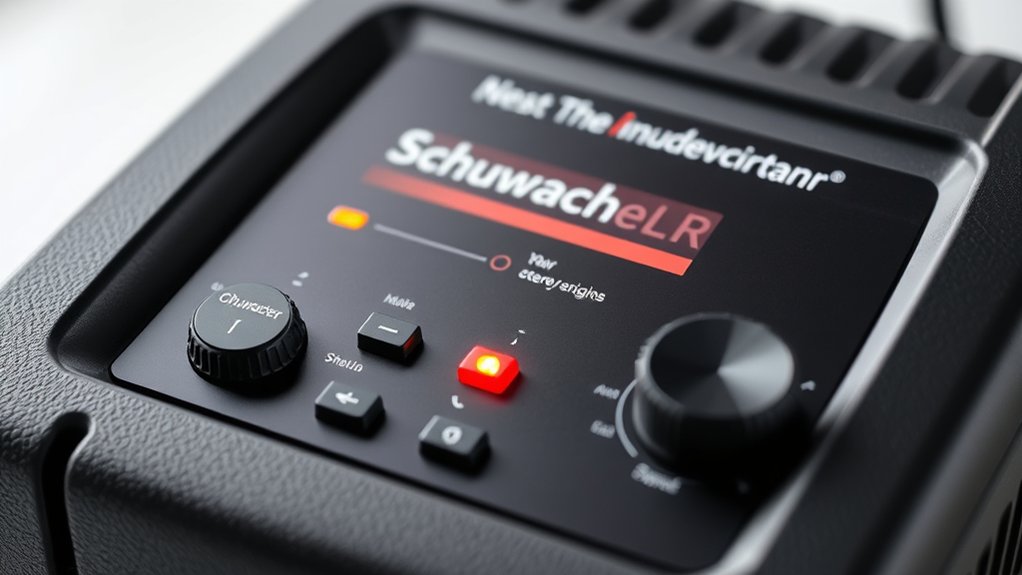
How to Read the Lights and Indicators on Your Schumacher Charger
Once you’ve connected your battery and selected the proper charging mode, interpreting the lights and indicators on your Schumacher charger becomes key to tracking the charging progress and diagnosing potential issues. Start by reading indicators such as solid or blinking LEDs, which correspond to different charging phases.
For example, a steady green light typically signals a fully charged battery, while a flashing red light may indicate a fault. Familiarize yourself with troubleshooting icons displayed on the charger’s screen; these icons help identify battery faults, connection errors, or temperature warnings.
How to Understand Charging Status and Battery Condition on Schumacher Chargers
How can you accurately interpret the charging status and battery condition displayed on your Schumacher charger? Start by seeking diagnostics through reading indicators that convey real-time data.
The charger’s LED lights or digital display often show distinct stages: bulk charging, absorption, and maintenance. Each stage reflects battery voltage and current flow, signaling specific battery conditions.
For example, a steady green light usually means the battery is fully charged and in maintenance mode, while a flashing red light could indicate a fault or low battery voltage.
Fixing Common Problems With Schumacher Battery Chargers
Why isn’t your Schumacher battery charger performing as expected? Start by checking the power source and connections; loose or corroded clamps often cause charging failures.
When fixing common issues, verify the charger’s fuse and internal circuitry for damage. Use troubleshooting tips like observing error codes or indicator lights to pinpoint faults accurately.
If the charger fails to initiate charging, test the battery voltage. Low voltage may prevent startup. Additionally, clean terminals to ensure proper contact.
For overheating or erratic charging, inspect the cooling fan and ventilation. Regular maintenance, including firmware updates if applicable, can prevent malfunctions.
How to Identify Your Schumacher Charger Model and Display Features
Where can you find the exact model and display details on your Schumacher battery charger? Start by examining the device’s label, usually located on the back or bottom. This label contains the model number crucial for identifying model specifics and compatibility.
Locate your Schumacher battery charger’s model number on the label at the back or bottom for precise identification.
Next, focus on the front panel display to assist in interpreting display functions accurately. Pay close attention to icons and numeric readouts, which convey charging status and error codes.
Avoid distractions from unrelated feature review sections or charger aesthetics, as these don’t impact operational understanding. Instead, concentrate solely on technical indicators and the model’s documented specifications.
Doing so ensures you accurately identify model features and understand the display’s real-time feedback, facilitating effective battery maintenance and troubleshooting without misinterpretation.
Frequently Asked Questions
What Is the Warranty Period for Schumacher Battery Chargers?
You’ll find Schumacher battery chargers typically offer a 2-year warranty. Check warranty specifics carefully, especially for lithium compatibility, as coverage might vary.
Always verify terms to ensure your lithium battery charger remains protected throughout its lifespan.
Can Schumacher Chargers Be Used on Lithium-Ion Batteries?
You might expect universal compatibility, but Schumacher chargers often lack lithium safety features, limiting charging compatibility with lithium-ion batteries.
Always verify your model supports lithium charging to ensure optimal performance and avoid potential hazards during use.
Are Schumacher Battery Chargers Safe for Marine Batteries?
Yes, Schumacher chargers ensure safe charging with marine compatibility by offering specific settings for marine batteries. You’ll benefit from controlled voltage and current, preventing overcharging and extending your marine battery’s lifespan effectively.
How Energy Efficient Are Schumacher Battery Chargers?
Schumacher battery chargers offer high energy efficiency by minimizing power loss during charging. Their advanced charging efficiency optimizes current flow, reducing waste and ensuring quicker, more effective battery replenishment.
This process conserves overall energy consumption, making Schumacher chargers a reliable choice for efficient battery maintenance.
Where Can I Buy Replacement Parts for Schumacher Chargers?
Before you send a telegram, know you can buy replacement parts for Schumacher chargers directly from their official website or authorized dealers. Always verify battery compatibility and part specifications to guarantee proper function and safety.
Conclusion
Reading your Schumacher battery charger is like decoding a pilot’s cockpit—each light and icon tells a crucial story. Just as a pilot trusts instruments to navigate, you rely on the steady green or flashing red indicators to guide your charging process.
Mastering these signals ensures your battery’s health and longevity. Remember, precise interpretation prevents faults and extends performance, turning a complex device into a reliable partner for your power needs.
By understanding these indicators clearly, you unlock the full potential of your Schumacher battery charger. This knowledge helps you maintain your battery effectively and ensures safe, efficient charging every time.