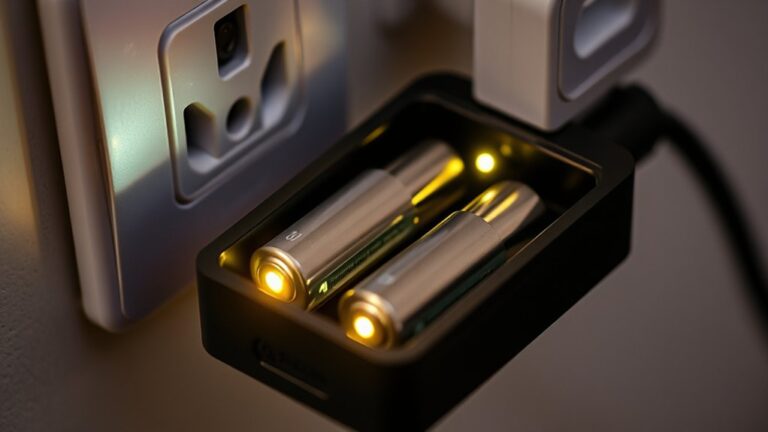

How to Operate Battery Charger
When you operate a battery charger, you need to start by confirming the charger matches your battery’s type and voltage specifications. Inspect both the charger and battery for any signs of damage, and ensure your workspace is clean and dry to prevent hazards. Proper connection order and setting the correct charging mode are crucial to avoid damage.
But what specific steps should you follow to connect and monitor the charger safely throughout the process? Understanding these steps will help you maintain safety and ensure your battery charges efficiently. Always follow the manufacturer’s instructions and use appropriate protective gear when handling batteries and chargers.
Key Takeaways
- Verify charger compatibility with battery type and voltage before connecting to ensure safe and effective charging.
- Attach the positive (red) clamp to the battery’s positive terminal first, then connect the negative (black) clamp to the negative terminal or grounded metal.
- Select the appropriate charging mode and voltage setting based on your battery’s specifications to prevent damage.
- Monitor charger indicators regularly for normal operation or error signals throughout the charging process.
- After charging, turn off the charger, disconnect the negative clamp first, then the positive, and allow ventilation to dissipate heat.
How to Use a Battery Charger: Step-by-Step Guide
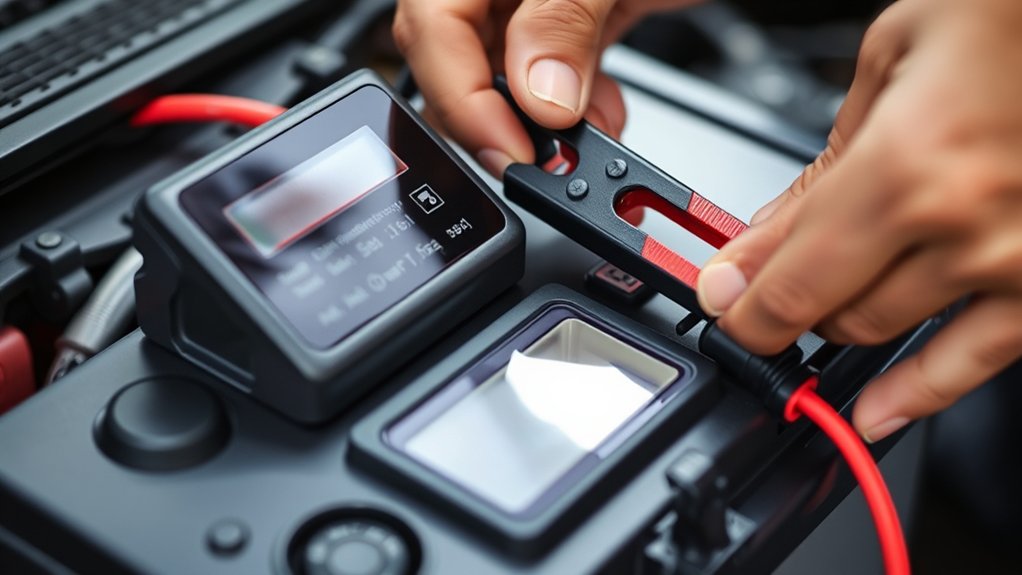
To use a battery charger correctly, you’ll first need to guarantee that the charger is compatible with your battery type and voltage. Begin by inspecting the battery for any visible damage or corrosion.
Connect the charger’s positive clamp to the battery’s positive terminal, then attach the negative clamp to the negative terminal or grounded metal surface, ensuring secure contact. Activate the charger, monitoring the charging process closely to maintain drain awareness; this helps prevent over-discharge or overcharge conditions.
Pay close attention to heat management. Avoid overheating by ensuring adequate ventilation and periodically checking the battery temperature. Once the battery reaches full charge, indicated by the charger or multimeter, disconnect the clamps in reverse order.
Following these precise steps ensures safe and efficient battery charging.
Choose the Right Battery Charger for Your Needs
You need to identify the type of battery charger that matches your battery’s chemistry and voltage requirements. Consider compatibility factors like connector type and charging protocols to ensure safe and efficient operation.
Also, evaluate charging speed options based on your usage patterns and battery capacity.
Types Of Battery Chargers
Selecting the right battery charger requires understanding the various types available and their specific functions. You’ll encounter trickle chargers, which provide a low, steady current, maintaining battery charge without overcharging. They are ideal for long-term maintenance.
Fast chargers deliver higher current, recharging batteries quickly but require strict adherence to charging fundamentals to avoid overheating or damage. Smart chargers incorporate microprocessors to monitor voltage and temperature, adjusting current dynamically while enforcing safety protocols to prevent hazards.
You might also consider solar chargers for off-grid applications, converting sunlight into electrical energy with variable output depending on conditions. Each charger type aligns with different battery chemistries and use cases.
Understanding these distinctions helps you select a charger that maximizes efficiency, ensures safety, and prolongs battery life without compromising performance.
Charger Compatibility Factors
How do you guarantee a battery charger matches your specific power requirements and battery type? Start by evaluating key compatibility considerations like voltage, current output, and battery chemistry compatibility. Your charger must align with the battery’s nominal voltage and maximum charging current to prevent damage or inefficiency.
Next, ensure the charger adheres to relevant charger standards such as UL, CE, or IEC certifications, which confirm safety and performance compliance. Pay attention to connector types and polarity to avoid mismatches.
Also, check if the charger supports the battery’s charging algorithm, whether it’s lead-acid, NiMH, or lithium-ion, as this affects charging profiles and battery longevity. By rigorously assessing these compatibility considerations and charger standards, you’ll select a charger tailored precisely to your battery’s technical requirements.
Charging Speed Considerations
When determining the ideal charger, how fast your battery needs to charge plays an essential role. Charging speed directly impacts your device’s downtime and overall usability. You should select a charger that balances rapid charging with battery health preservation.
High charging speed often generates excess heat, raising efficiency concerns and potentially reducing battery lifespan. Conversely, slower charging rates minimize thermal stress, enhancing longevity but extending wait times.
To optimize performance, check the charger’s amperage and voltage ratings against your battery’s specifications. Modern smart chargers adjust current flow dynamically, addressing efficiency concerns by preventing overcharging and overheating.
Ultimately, choose a charger that matches your usage patterns, prioritizing safety and efficiency over sheer speed to ensure reliable, long-term battery operation.
Prepare Your Battery and Charger Safely
A crucial step before connecting your battery charger is to ensure both the battery and charger are in optimal condition. Begin by inspecting the battery for any signs of damage, corrosion, or leaks, as compromised batteries can pose safety risks. Clean battery terminals with a wire brush to ensure proper electrical contact.
Next, verify the charger’s cables and connectors for fraying or wear. Use safe handling techniques by wearing protective gloves and eyewear to prevent injury. Position the charger in a location with proper ventilation to dissipate heat and avoid gas accumulation, which could lead to hazards.
Ensure the workspace is dry and free from flammable materials. By meticulously preparing both the battery and charger, you minimize risks and promote efficient, safe charging operations.
Safely Connect Your Battery Charger to Common Battery Types
If you’re asking where to start when linking your battery charger to different kinds of batteries, begin by determining the battery chemistry—lead-acid, lithium-ion, or nickel-metal hydride, as each type needs particular handling.
Adhere to safety measures by donning protective gloves and eye protection to avert acid burns or electric shock. Always confirm the charger is unplugged before attaching clamps.
Attach the positive (red) clamp to the battery’s positive terminal first, then connect the negative (black) clamp to the negative terminal. For sealed batteries, avoid over-tightening clamps to prevent casing damage.
If your battery is damaged or leaking, do not attempt charging; instead, follow proper battery disposal procedures to prevent environmental hazards. Recheck clamp polarity to prevent short circuits.
These exact steps ensure safe, effective charging and safeguard both you and your equipment.
Set the Correct Charging Mode and Voltage on Your Battery Charger
Before initiating the charging process, ensure you select the appropriate charging mode and voltage that correspond to your battery’s specifications. Incorrect settings can lead to inefficient charging or battery damage. Use your charger’s manual to identify the correct two word idea1, which often varies by battery chemistry and capacity.
Selecting the correct charging mode and voltage is essential to ensure efficient, safe battery charging and prevent damage.
Next, adjust the voltage precisely to match the battery’s rated voltage, a critical two word idea2 for safe operation.
Follow these steps:
- Select charging mode (e.g., trickle, fast, or bulk) based on battery type.
- Set output voltage exactly to battery nominal voltage.
- Confirm polarity and connection stability before starting.
Monitor Your Battery Charger: What the Indicators Mean
How can you guarantee your battery charger operates correctly throughout the charging cycle? Start by consistently monitoring indicators on your charger. These indicators provide real-time feedback on charger status, such as power connection, charging progress, and fault detection.
For example, a solid green light often signals normal operation, while a blinking red light might indicate an error or overheating. Some models feature digital displays showing voltage and current levels, allowing you to verify that the charger matches the battery’s specifications.
By actively observing these monitoring indicators, you can promptly identify abnormalities like insufficient voltage or reversed polarity. This vigilance ensures safe operation, prevents damage, and optimizes charging efficiency.
Always consult your charger’s manual to understand specific indicator meanings and respond appropriately to maintain optimal charger status.
Recognize When Your Battery Is Fully Charged
When can you be certain that your battery has reached full charge? Understanding your battery chemistry is essential, as different types like lead-acid or lithium-ion exhibit distinct voltage and current profiles at full charge. Smart charging systems analyze these profiles to adjust the charging process dynamically.
To recognize full charge, monitor these key indicators:
- Voltage plateau: The voltage stabilizes at a level specific to your battery chemistry.
- Current tapering: Charging current gradually decreases to a minimal trickle.
- Charger indicators: Smart chargers often signal completion via LED or digital readouts.
Disconnect Your Battery Charger Without Damaging the Battery
Once your battery shows signs of full charge through stable voltage and minimal current draw, you need to disconnect the charger carefully to prevent damage. First, switch off the charger before detaching any cables to avoid voltage spikes that could harm the battery cells.
Next, remove the negative (ground) clamp before the positive clamp; this sequence reduces the risk of short circuits. Avoid engaging in unrelated topics or irrelevant discussion during this process, as distractions can lead to improper disconnection and potential battery damage.
Always inspect connectors for corrosion or looseness before and after removal to ensure safe operation. By following these precise steps, you maintain battery integrity, prolong service life, and prevent hazards associated with abrupt or incorrect disconnection methods.
Avoid Common Battery Charger Mistakes
You need to choose the correct charger matched to your battery’s voltage and chemistry to prevent damage. Avoid overcharging by monitoring the charge cycle and using chargers with automatic shutoff features.
Also, ensure secure and clean connections to maintain efficient current flow and prevent sparks or shorts.
Incorrect Charger Selection
Why does selecting the correct charger matter? Using an incompatible charger can damage your battery, reduce its lifespan, and increase safety risks. Incorrect charger selection often leads to improper voltage or current delivery, which compromises battery efficiency and may cause irreversible harm.
When choosing a charger, consider these key factors:
- Battery chemistry compatibility: Ensure the charger matches the battery type (Li-ion, NiMH, lead-acid).
- Voltage and current ratings: Verify the charger’s output aligns with your battery’s specifications to prevent under- or overcharging.
- Connector type and polarity: Use the correct physical connections to avoid short circuits or damage.
Neglecting these details can result in premature battery failure and complicate proper battery disposal, posing environmental hazards. Always consult manufacturer guidelines for optimal charger selection.
Overcharging Risks
How long should a battery remain connected to its charger? Exceeding the recommended charging time increases overcharging risks, which can degrade battery capacity and compromise battery safety.
Overcharging causes excessive heat and pressure buildup, potentially leading to leaks or explosions. To avoid these hazards, monitor charging times closely and use chargers with automatic shutoff features.
| Charging Phase | Duration (hours) | Risk Level |
|---|---|---|
| Initial Bulk Charge | 1-3 | Low |
| Absorption Charge | 2-4 | Moderate |
| Float Charge | Indefinite | High if unregulated |
| Overcharge Threshold | > Float Charge | Critical |
| Safety Cutoff | Varies | Essential |
Stick to manufacturer guidelines to maintain battery safety and prevent costly damage caused by overcharging risks.
Poor Connection Issues
Maintaining proper charging time reduces overcharging risks, but another common issue that can compromise battery charging is poor connections between the charger and battery terminals. A poor connection often results from loose terminals or corrosion, causing inefficient current flow and extended charging times.
To prevent this, you should:
- Inspect terminals for corrosion or dirt before connecting the charger.
- Ensure both positive and negative terminals are tightly secured to avoid loose terminals.
- Use a wire brush or terminal cleaner to restore proper contact if corrosion exists.
Addressing these points guarantees optimal electrical conductivity, reduces resistance, and protects both the battery and charger from damage. By eliminating poor connection issues, you enhance charger performance and battery longevity, avoiding common charging errors caused by inadequate terminal contact.
Maintain and Troubleshoot Your Battery Charger for Long Life
Regularly inspecting your battery charger guarantees peak performance and extends its operational lifespan. Start by checking all electrical connections for corrosion or loose terminals, especially if you’re integrating your charger with DIY battery storage or solar charging systems.
Clean contacts using a wire brush and apply dielectric grease to prevent oxidation. Test the charger’s output voltage with a multimeter to guarantee it matches specified levels. If the charger fails to initiate or maintain charge, verify the fuse and internal circuitry for damage.
Keep ventilation slots clear of dust to prevent overheating. For solar charging setups, confirm that solar panels provide adequate input voltage under varying light conditions. Routine maintenance and prompt troubleshooting will help you avoid costly repairs and maximize your charger’s efficiency over time.
Frequently Asked Questions
Can I Use a Battery Charger in Extreme Weather Conditions?
You shouldn’t use a battery charger in extreme weather because temperature effects can damage the charger or battery. Operating within recommended temperature ranges guarantees safety, efficiency, and prevents overheating, freezing, or reduced charging performance.
How Do Battery Chargers Differ for Electric Vehicles?
Like using a telegraph in the digital age, EV chargers differ by adhering to specific EV charging standards. They optimize charging efficiency through fast, regulated power delivery and incorporate communication protocols for safe, precise battery management in electric vehicles.
What Environmental Impacts Do Battery Chargers Have?
You’ll see environmental impact mainly from energy consumption and electronic waste. Choosing chargers with sustainable design minimizes resource use, reduces emissions, and enhances efficiency.
This helps you support greener charging infrastructure and reduce your carbon footprint effectively.
Are There Wireless Battery Chargers Available?
Imagine a seamless dance of energy. Yes, wireless charging exists, enabling you to power devices without cords. Some advanced models even feature swappable modules, letting you customize and upgrade charging capabilities with technical precision and ease.
Can a Battery Charger Improve Battery Lifespan Permanently?
No, a battery charger can’t improve battery lifespan permanently, but using one with an advanced charging algorithm helps in improving longevity by optimizing charge cycles and preventing overcharging. This reduces wear and extends usable battery life.
Conclusion
By following these precise steps, you can safely charge your battery and extend its lifespan. Did you know over 30% of battery failures result from improper charging? Using the correct charger, setting the right mode, and monitoring the process closely helps avoid this.
Always connect and disconnect clamps carefully to prevent damage. With attention to detail and proper maintenance, your battery charger will serve you reliably. This ensures optimal performance every time you power up with your battery charger.