
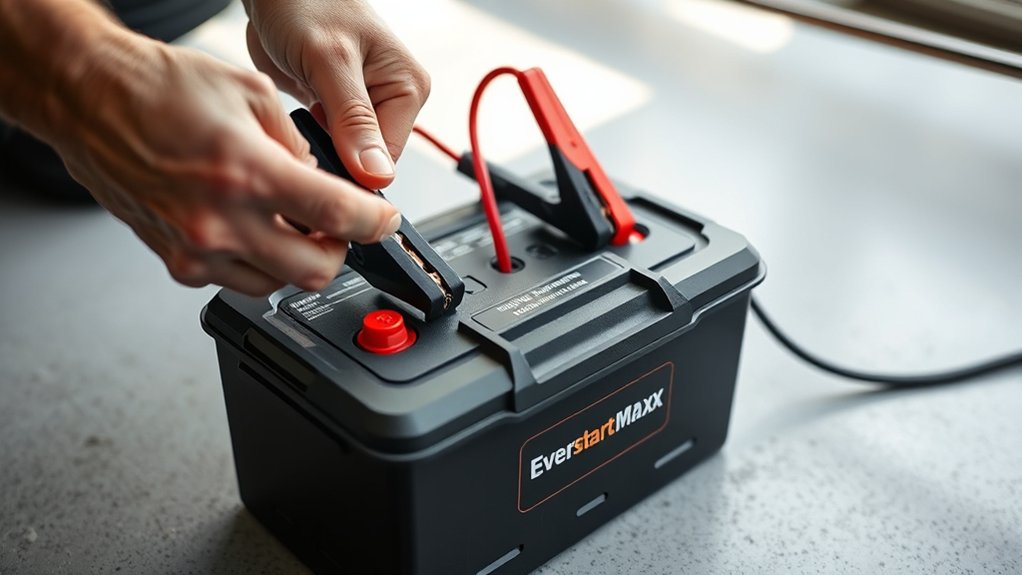
How to Use Everstart Maxx Battery Charger
If you need to charge your vehicle’s battery efficiently, you’ll want to use the Everstart Maxx Battery Charger correctly. Start by ensuring your car is off and the workspace is well-ventilated.
You’ll need to identify the charger’s components, connect the clamps precisely to the battery terminals, and select the right charging mode for your battery’s condition. Understanding each step is crucial for safe, effective charging—so let’s walk through what you should do next.
Key Takeaways
- Ensure the vehicle is off, parked in a ventilated area, and battery terminals are clean before connecting the Everstart Maxx charger.
- Attach the red positive clamp to the battery’s positive terminal and the black negative clamp to a clean metal surface away from the battery.
- Select the appropriate charging mode: Normal for standard charging, Rapid for quick charging, or Maintenance for low, steady charge.
- Monitor the charger’s indicator lights: Green means fully charged, Yellow means charging, and Red indicates a fault requiring immediate inspection.
- Disconnect the charger safely once fully charged and maintain battery health by regular checks and avoiding overcharging.
Prepare Your Vehicle for Everstart Maxx Charging
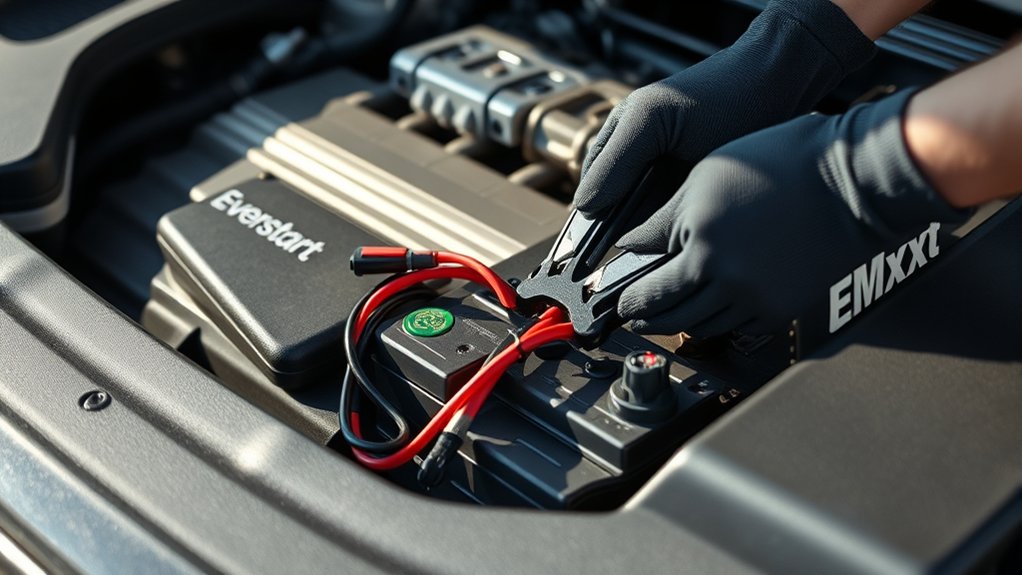
Before connecting the Everstart Maxx Battery Charger, guarantee your vehicle is turned off and parked in a well-ventilated area. This step ensures battery safety by preventing gas accumulation during charging.
Next, identify the battery terminals, positive and negative, and inspect them for corrosion or damage. Clean terminals if necessary to maintain optimal electrical contact.
Confirm charger compatibility by checking your battery’s voltage and type against the Everstart Maxx specifications; mismatched voltage can cause damage or ineffective charging. Disconnect any electronic devices to avoid power surges.
Always connect the positive clamp to the positive terminal first, followed by the negative clamp to the negative terminal or vehicle chassis, reducing spark risk. By following these precise procedures, you’ll maximize battery safety and ensure efficient charging with your Everstart Maxx.
Know Your Everstart Maxx Charger Parts
How exactly does the Everstart Maxx Battery Charger work? It delivers controlled, regulated current to recharge your vehicle’s battery efficiently and safely. Key parts include the power cord, which plugs into a standard outlet, and the output clamps, red for positive and black for negative terminals.
The digital display provides real-time voltage and charging status, while indicator lights signal charging modes and completion. You’ll also find a mode selector for different battery types and charging speeds.
Understanding these components helps you follow essential battery tips, such as avoiding reversed connections. Safety reminders emphasize inspecting cables for damage and keeping the charger away from moisture or sparks.
Knowing your charger parts ensures precise, safe operation during every use.
Connect the Charger to Your Car Battery Safely
After familiarizing yourself with the Everstart Maxx charger components, you’re ready to connect it to your car battery. Start by wearing safety gloves to protect your hands from acid and electrical hazards.
Begin preparing cables by inspecting them for damage or corrosion; clean terminals if needed to ensure a secure connection. Attach the red positive clamp firmly to the battery’s positive terminal, then connect the black negative clamp to a clean, unpainted metal surface away from the battery to prevent sparking.
Double-check that clamps are secure and not touching each other or other metal parts. Keep the charger unplugged during this process to avoid accidental shorts. Following these precise steps ensures a safe and effective connection before powering on the Everstart Maxx.
Choose the Right Charging Mode on Everstart Maxx
Which charging mode suits your battery’s condition and needs best? The Everstart Maxx offers several modes: Normal, Rapid, and Maintenance. Use Normal mode for standard charging, ideal when your battery isn’t deeply discharged.
Rapid mode delivers higher current, suited for quickly reviving heavily drained batteries, but exercise caution to avoid overheating. Maintenance mode provides a low, steady charge to keep your battery at optimal capacity without overcharging, perfect for long-term upkeep.
When selecting a mode, consider your battery’s voltage and state. Always follow safety reminders: ensure proper ventilation and avoid sparks near the battery.
For curious maintenance, regularly check the charger’s display and battery condition to prevent damage. Choosing the correct mode not only preserves battery life but also safeguards your vehicle’s electrical system.
Start the Charging Process Step-by-Step
Where do you begin once you’ve selected the appropriate charging mode on your Everstart Maxx? First, connect the charger’s clamps securely to the battery terminals, red to positive and black to negative, ensuring firm contact to avoid energy storage inefficiencies.
Begin by firmly attaching the charger clamps—red to positive, black to negative—to ensure efficient energy transfer.
Next, plug the charger into a power outlet and power it on. The device will initiate a startup sequence, activating its internal diagnostics. This step is crucial for startups brainstorm sessions focused on optimizing battery health and charging protocols.
Monitor for any immediate alerts before proceeding. The charger will then deliver a controlled current tailored to your selected mode, gradually restoring the battery’s charge.
Throughout this process, maintain proper ventilation and avoid disconnecting the clamps until charging completes to ensure safe and effective energy storage.
Read Charging Status Indicators on Everstart Maxx
Once the charging process is underway, you’ll want to closely observe the Everstart Maxx’s status indicators to track progress and detect any issues. These indicators provide real-time feedback on the battery’s condition, ensuring you avoid common charging myths that can shorten battery lifespan.
| Indicator Light | Meaning |
|---|---|
| Green | Fully charged, charging complete |
| Yellow | Charging in progress |
| Red | Fault detected, check battery |
If the red light appears, immediately stop charging and inspect connections or battery health. The yellow light means the battery is actively charging, optimizing voltage and current to extend battery lifespan.
The green light confirms the battery is fully charged, preventing overcharging and unnecessary wear. Monitoring these indicators helps you charge safely and maintain battery performance efficiently.
Safely Disconnect the Charger After Charging
How do you guarantee a safe and effective disconnection of the Everstart Maxx battery charger after charging? First, ensure the charger is switched off to eliminate any electrical current flow. Then, disconnect the charger’s negative (black) clamp before removing the positive (red) clamp from the battery terminals.
This sequence minimizes sparking and maintains optimal charging safety. Avoid touching clamps together or allowing them to contact metal surfaces. After removal, store the charger cables properly to prevent damage.
Maintain Your Battery Health With Everstart Maxx
Maintaining your battery’s health with the Everstart Maxx charger requires regular monitoring and timely charging to prevent sulfation and capacity loss. Avoid leaving your battery in a discharged state, as this accelerates deterioration. While it might be tempting to drift into an unrelated topic or random discussion during charging, stay focused on key maintenance practices to maximize battery longevity.
Regular monitoring and timely charging with Everstart Maxx prevent battery sulfation and capacity loss.
- Check electrolyte levels monthly; top off with distilled water if needed.
- Use the charger’s automatic mode to ensure optimal charging cycles.
- Store the battery in a cool, dry place to minimize self-discharge.
- Inspect terminals for corrosion; clean them with a baking soda solution.
- Avoid overcharging by disconnecting promptly after the charger indicates completion.
Troubleshoot Common Everstart Maxx Charging Problems
Why isn’t your Everstart Maxx charger delivering the expected performance? First, verify your connections; loose clamps often disrupt charging. Inspect the battery terminals for corrosion, which impedes current flow.
Ensure the charger’s settings match your battery type and voltage. Avoid common battery myths, such as “fast charging won’t harm batteries,” which can lead to improper charger use. Charging myths like “a fully dead battery can always be revived” might cause unrealistic expectations.
If the charger fails to start, check the power source and fuse. Monitor the charger’s indicator lights; constant flashing often signals a faulty battery or connection issue. Lastly, confirm the charger’s cables aren’t damaged.
When to Replace Your Battery Instead of Using Everstart Maxx
You should replace your battery if it shows signs of failure like swelling, corrosion, or a persistent inability to hold a charge. When the Everstart Maxx charger fails to restore adequate voltage after multiple attempts, the battery’s internal cells may be irreversibly damaged.
Relying on charging alone in these cases can lead to unreliable performance and potential vehicle issues.
Signs of Battery Failure
How can you tell when a battery has reached the end of its usable life and requires replacement rather than recharging? Unlike ephemeral storage that loses data temporarily, a failing battery suffers irreversible chemical degradation. Firmware updates on your vehicle’s monitoring system might help detect these issues, but physical signs remain essential.
Replace your battery if you notice:
- Persistent slow engine crank despite multiple charges
- Corroded or leaking terminals indicating internal damage
- Swollen battery casing from gas buildup
- Voltage readings consistently below 12.4 volts at rest
- Rapid voltage drops under load, showing diminished capacity
Ignoring these signs risks sudden failure, leaving you stranded. Understand these indicators to decide when Everstart Maxx won’t suffice, and a replacement is necessary to maintain reliable power delivery.
When Charging Is Ineffective
Recognizing the signs of battery failure helps determine when charging attempts become futile. If your Everstart Maxx charger fails to restore charge after multiple tries, it’s time to contemplate replacement.
Severe sulfation, physical damage, or a battery older than 4-5 years usually indicates irreversible failure. Continuing to charge a defective battery risks leakage or explosion, so prioritize safety.
| Indicator | Description | Action |
|---|---|---|
| No voltage response | Battery shows zero volts | Replace immediately |
| Physical damage | Cracks, bulges, or leaks | Dispose properly |
| Repeated failure | No charge after multiple cycles | Initiate battery recycling |
Follow disposal considerations and utilize battery recycling programs to minimize environmental impact.
Frequently Asked Questions
Can Everstart Maxx Charger Be Used on Motorcycle Batteries?
Yes, you can use the Everstart Maxx charger for motorcycle charging if the battery compatibility matches.
Ensure the charger supports your motorcycle battery’s voltage and type to avoid damage and optimize charging performance safely.
Is Everstart Maxx Compatible With Lithium-Ion Batteries?
You shouldn’t use the Everstart Maxx charger on lithium-ion batteries; it’s incompatible. Over 30% of motorcycle risks stem from improper charging, so avoid damage by using chargers designed specifically for lithium technology. This guarantees safety and battery longevity.
How Long Is the Warranty on the Everstart Maxx Charger?
The Everstart Maxx charger offers a warranty duration of one year, covering defects in materials or workmanship.
Ensure battery compatibility by verifying the charger suits your battery type to maintain warranty validity and optimal performance.
Can I Leave the Everstart Maxx Charger Connected Overnight?
Think of your battery as a delicate flame. Yes, you can leave the Everstart Maxx overnight charger connected, but only if it has an automatic shutoff. This prevents overcharging and preserves battery health precisely.
Does Everstart Maxx Have a Portable Carrying Case Included?
No, the Everstart Maxx doesn’t include a portable case, so you’ll need to find one separately for safe transport.
Keep your warranty coverage intact by storing the charger properly and avoiding damage during transit or storage.
Conclusion
Using the Everstart Maxx battery charger correctly ensures your vehicle starts reliably every time. Remember, “an ounce of prevention is worth a pound of cure”—regular maintenance and proper charging extend battery life and prevent unexpected failures.
By following safety steps, selecting the right mode, and monitoring the process closely, you protect both your battery and yourself. Stay attentive to signs of wear, and replace your battery when needed for optimal performance and safety.
For the best results and to keep your vehicle running smoothly, always use the Everstart Maxx battery charger as recommended.