How to Use Diehard Battery Charger
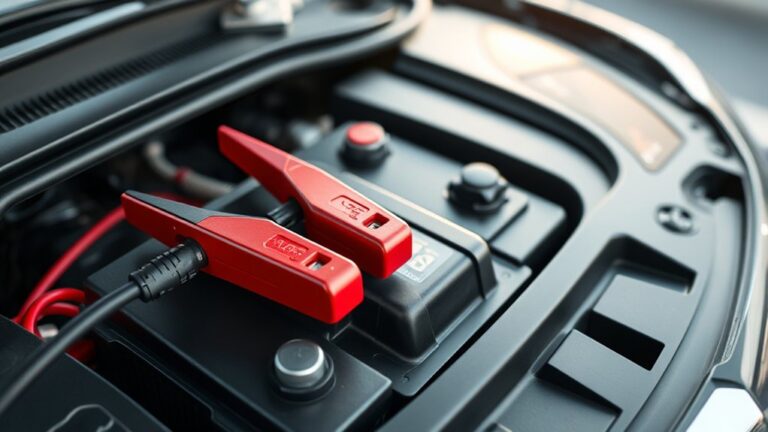
Before you connect your DieHard battery charger, you need to confirm your battery’s type and voltage match the charger’s specifications. Inspect both the charger and battery terminals for damage or corrosion, and make sure you’re wearing protective gear. Proper connection of the clamps is crucial—positive to positive, negative to negative or chassis—.
You should always plug the charger into a grounded outlet with the unit off. Understanding the correct charging mode will help you avoid common pitfalls and ensure optimal battery performance.
Key Takeaways
- Confirm charger compatibility with your battery type and voltage before starting to ensure safe and effective charging.
- Attach the positive clamp to the battery’s positive terminal and the negative clamp to the negative terminal or vehicle chassis.
- Select the appropriate charging mode based on battery condition: standard for maintenance, rapid for quick charge, or trickle for deep discharge.
- Monitor charger indicator lights during charging and ensure proper ventilation while avoiding extreme temperatures.
- Disconnect the charger once fully charged, and troubleshoot issues by checking clamps, power source, and resetting the charger if needed.
How to Use a DieHard Battery Charger
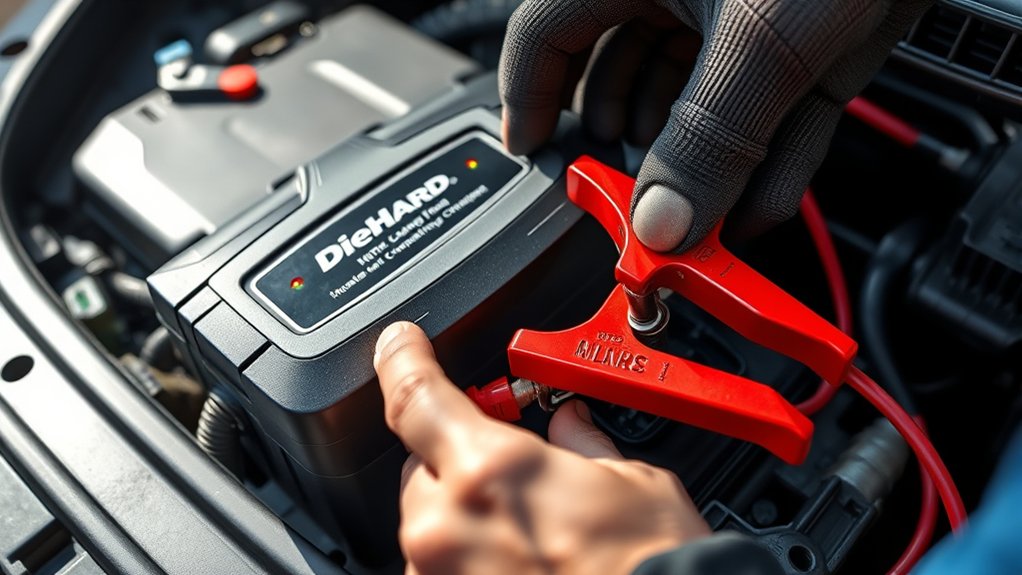
How do you properly use a DieHard battery charger to guarantee efficient and safe charging? First, ensure the charger is compatible with your battery type and voltage. Connect the charger’s positive clamp to the battery’s positive terminal and the negative clamp to the negative terminal.
Avoid reversing the clamps to maintain charging safety and prevent damage. Plug the charger into a grounded outlet, then turn it on. Select the appropriate charging mode based on your battery’s condition. Monitor the charger’s indicators to track the charging process.
To maximize power efficiency, avoid charging in extreme temperatures and disconnect the charger once fully charged. Always follow the manufacturer’s instructions and wear protective gear during setup to further ensure charging safety.
Preparing Your Vehicle Battery for DieHard Charging
Before connecting your DieHard charger, you should thoroughly inspect the vehicle battery for any damage or corrosion. Check the terminals for rust or buildup, and clean them with a wire brush if necessary to ensure proper electrical contact.
Inspect the battery for damage or corrosion and clean terminals to ensure proper electrical contact before charging.
Next, confirm the battery voltage to assess its condition before charging. For precharge safety, disconnect any electronic devices to prevent damage during the charging process.
Ensure the charger is off before attaching the clamps, positive to positive terminal, negative to negative terminal or vehicle chassis. Proper battery conditioning starts with this careful preparation, allowing the charger to deliver optimal current safely.
Taking these steps prevents sparks, short circuits, and promotes efficient energy transfer, setting the stage for effective DieHard charging.
Choosing the Right DieHard Charger Mode
Which charging mode suits your battery’s condition and needs? When choosing mode on your DieHard charger, assess your battery’s state: standard mode is ideal for regular maintenance, while rapid mode suits quick charging but requires close monitoring.
For deeply discharged batteries, use the slow or trickle charge mode to avoid overheating and damage. Always consider safety considerations; never select a mode that exceeds your battery’s voltage and amperage limits.
Ensure proper ventilation and avoid sparks during charging. Refer to the charger’s manual for mode specifications aligned with your battery type—lead-acid, AGM, or gel cell.
Properly choosing mode maximizes battery lifespan and charging efficiency. Remember, incorrect mode selection risks battery failure and safety hazards, so always match the charger settings to your battery’s exact requirements.
Troubleshooting Common DieHard Charger Issues
Encountering issues with your DieHard battery charger can disrupt your maintenance routine, but many common problems have straightforward solutions. First, check the connections. Ensure clamps are clean and secure. Faulty contacts often cause charging failure.
Next, inspect the power source. A loose plug or blown fuse can interrupt charging. Use two word discussion ideas like “indicator lights” and “error codes” to identify specific charger states.
Avoid troubleshooting pitfalls such as ignoring battery condition. A deeply discharged or damaged battery won’t charge properly. If the charger overheats, allow it to cool before retrying.
Finally, reset the charger by disconnecting and reconnecting it. Following these steps helps you efficiently resolve issues and maintain optimal charger performance without guesswork or unnecessary delays.
Maintaining Your DieHard Battery and Charger for Long Life
Proper maintenance of your DieHard battery and charger guarantees reliable performance and extends their operational lifespan. Follow these essential maintenance tips and safety considerations to keep your equipment in top condition:
Proper maintenance ensures reliable performance and extends the lifespan of your DieHard battery and charger.
- Regular Inspection: Check cables, clamps, and connectors for corrosion or damage. Clean terminals with a baking soda solution to prevent buildup.
- Proper Storage: Store the charger and battery in a cool, dry place away from direct sunlight and moisture to avoid degradation.
- Safe Usage Practices: Always disconnect the charger from the power source before connecting or disconnecting the battery. Wear protective gear to prevent acid exposure and electrical shocks.
Adhering to these guidelines ensures efficient charging and minimizes the risk of malfunction or injury, preserving your DieHard equipment’s longevity.
Frequently Asked Questions
Can Diehard Chargers Be Used on Lithium-Ion Batteries?
Diehard chargers generally lack lithium compatibility, so you shouldn’t use them on lithium-ion batteries.
To ensure battery safety, always verify charger specifications and use a charger explicitly designed for lithium-ion chemistry to avoid damage or hazards.
What Is the Warranty Period for Diehard Battery Chargers?
You get a two-year warranty period with Diehard battery chargers, ensuring coverage against defects. Always register your product promptly and keep your receipt for two-word ideas1 and two-word ideas2 claims or technical support.
Are Diehard Chargers Compatible With All Vehicle Types?
Think of Diehard compatibility like a universal key. They’re designed for charging versatility, fitting most vehicle types. However, you should always check your vehicle’s battery specifications to ensure proper match and optimal charging performance.
Can I Charge Multiple Batteries Simultaneously With One Charger?
You can’t charge multiple batteries simultaneously with one Diehard charger due to charging safety concerns. Prioritize connections individually to prevent damage.
For durability comparison, single-battery use extends charger lifespan and ensures optimal performance.
Do Diehard Chargers Have Built-In Safety Features Against Overcharging?
Don’t put all your eggs in one basket. Diehard chargers include built-in safety features that minimize overcharging risk. They guarantee proper battery compatibility and automatically adjust charging to protect your batteries efficiently and safely every time.
Conclusion
Using your DieHard battery charger is as straightforward as following a well-oiled machine’s routine. By preparing your battery properly, selecting the right charging mode, and monitoring the process carefully, you’ll ensure efficient, safe charging every time.
Keep an eye out for common issues and maintain both your battery and charger regularly to extend their lifespan. With these steps, you’ll power your vehicle reliably and confidently, avoiding unexpected battery failures.
Using the DieHard battery charger correctly will help you get the most out of your battery and keep your vehicle running smoothly.