How to Replace Battery in Jeep Key Fob
Imagine trying to start your Jeep on a cold morning, only to find the key fob battery dead and unresponsive—like a flashlight without power. Replacing the battery in your Jeep key fob is a straightforward process that requires attention to detail and the right tools.
By carefully opening the fob, noting battery orientation, and installing a compatible replacement, you can restore full functionality. Understanding these steps will ensure you don’t get stranded when it matters most.
Key Takeaways
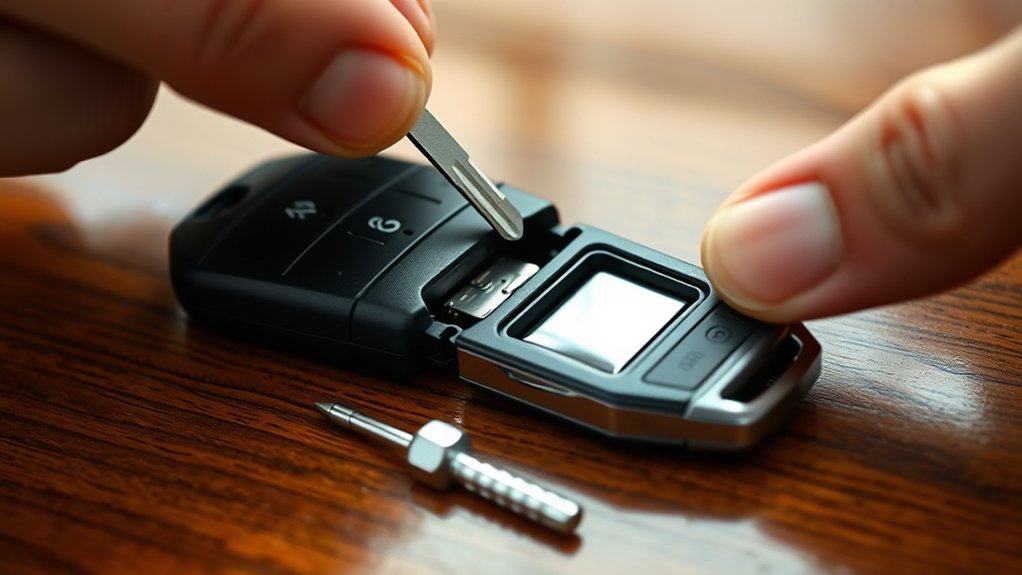
Use a small flathead screwdriver or plastic pry tool to carefully open the Jeep key fob along the seam.
Remove the old battery, noting its type (usually CR2032) and correct polarity before replacement.
Insert the new battery with the positive side facing up, ensuring it sits flush against contacts.
Reassemble the fob by snapping the halves together and securing any screws without over-tightening.
Test all buttons and confirm proper lock, unlock, panic alarm, and remote start functions within usual range.
Signs Your Jeep Key Fob Battery Needs Replacing
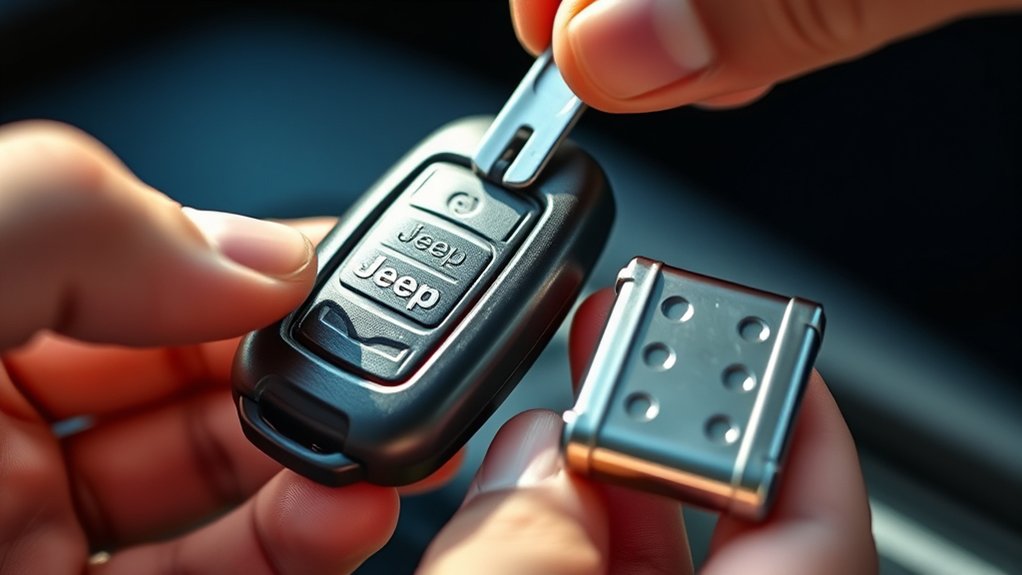
How can you tell when your Jeep key fob battery is failing? First, observe the signal strength and response time. A weakening battery often causes delayed or inconsistent locking and unlocking.
Next, check for tone consistency; the fob’s beep may become faint or irregular, indicating reduced power output. Quality control in manufacturing ensures that these signals are reliable, so any deviation usually points to a battery issue.
Additionally, if the key fob intermittently stops working or requires closer proximity to the vehicle, it’s a clear sign the battery is near depletion. By systematically monitoring these performance indicators, you can pinpoint when to replace the battery before complete failure occurs, maintaining optimal functionality and avoiding inconvenient lockouts.
Tools and Battery You’ll Need for Replacement
You’ll need a small flathead screwdriver or a pry tool to open your Jeep key fob without causing damage. The replacement battery is typically a CR2032 lithium coin cell, but confirm the exact type printed inside your fob.
Having the right tools and battery on hand ensures a smooth, efficient replacement process.
Required Tools Overview
A few essential tools and the correct battery type are necessary to replace the battery in your Jeep key fob efficiently. Begin with a small flathead screwdriver or a plastic pry tool to gently open the key fob casing without damaging its aesthetics. Avoid metal tools that might scratch or deform the surface, preserving key fob aesthetics.
A clean, lint-free cloth helps maintain cleanliness during battery maintenance, preventing dirt or moisture from entering the internal components. Additionally, have a pair of tweezers ready to handle the battery safely, minimizing contact with skin oils that could affect battery performance.
Ensure your workspace is well-lit and static-free to avoid accidental damage. Using these tools methodically will streamline the replacement process and support long-term battery maintenance.
Compatible Battery Types
Which battery type fits your Jeep key fob best? Ensuring battery compatibility is critical for optimal performance and avoiding warranty implications. Most Jeep key fobs require a specific coin cell battery, and using the wrong type can cause functionality issues or void your warranty.
Common compatible battery types include:
- CR2032
- CR2025
- CR2016
- CR1632
- CR2450
Check your key fob’s manual or back cover to identify the exact battery model. Use only manufacturer-recommended batteries to maintain warranty coverage. Avoid generic or off-brand batteries, as they may have inconsistent voltage output, affecting your key fob’s reliability.
Proper battery selection safeguards your key fob’s lifespan and ensures seamless operation after replacement.
Open Your Jeep Key Fob
How do you access the internal components of your Jeep key fob? Start by locating the seam that runs along the edge of the fob casing. Use a small flathead screwdriver or a plastic pry tool to gently insert into this seam.
Apply steady, controlled pressure to separate the two halves without damaging the plastic. Avoid forcing the tool too deep to prevent harming internal circuitry. If your Jeep key features a mechanical key, first slide the release button to remove it, exposing a slot that assists in opening the fob.
This step is critical in tech troubleshooting, as improper opening can lead to device malfunction. Once the casing splits, you’ll have clear access to the battery compartment and internal components for the next steps.
Remove the Old Battery
Where exactly is the battery located inside your Jeep key fob? During this discovery process, you’ll find it secured beneath the circuit board, often held by a small clip.
Follow these steps to remove the old battery safely:
Use a plastic pry tool to avoid damaging internal components. Gently lift the circuit board without disconnecting wires. Identify the battery type and note its orientation. Carefully release the battery clip. Extract the battery without bending or puncturing it.
Choose the Right Battery for Your Jeep Key Fob
After carefully removing the old battery from beneath the circuit board, your next step is selecting the correct replacement. Start by checking the battery model number, usually printed on the old battery’s surface.
Most Jeep key fobs use CR2032 or CR2025 lithium coin batteries. Ensure the voltage and size match precisely to avoid operational issues.
Most Jeep key fobs require CR2032 or CR2025 lithium coin batteries for optimal performance.
Pay attention to battery aesthetics; opt for a reputable brand with a clean, unblemished surface to maintain proper contact and longevity. Avoid mixing brands or using worn batteries, as this breaches key fob etiquette and may cause malfunctions.
Using the exact type ensures your key fob’s internal circuitry functions reliably. Confirm polarity orientation before proceeding, as incorrect placement can damage the device or prevent it from working correctly.
Install the New Battery
When installing the new battery, begin by aligning it correctly with the key fob’s contacts, paying close attention to the polarity markings. Proper orientation ensures optimal battery compatibility and prevents damage. Follow these steps:
Insert the battery with the positive (+) side facing up unless otherwise specified. Ensure the battery sits flush against the contact points for a secure connection. Avoid touching the battery terminals with your fingers to prevent corrosion.
Double-check the battery type matches your Jeep key fob’s specifications. Handle the battery and key fob components gently to maintain key fob maintenance standards.
Adhering to these precise steps guarantees reliable performance and prolongs the lifespan of your key fob. This methodical approach helps avoid common issues related to improper battery installation.
Reassemble Your Jeep Key Fob
With the new battery correctly positioned and secured, you can proceed to reassemble your Jeep key fob. Begin by aligning the two halves of the fob case precisely, reversing the disassembly techniques you initially used.
After securing the new battery, carefully align the fob halves to begin reassembly.
Ensure the internal components sit firmly in place, preventing any movement that could cause signal interference. Press the halves together evenly until you hear a click, confirming a secure fit.
Avoid forcing the pieces, as improper alignment may damage internal contacts or the casing. Finally, reinsert any screws or fasteners removed during disassembly, tightening them to manufacturer specifications without over-torquing.
This methodical approach guarantees the integrity of the key fob’s housing and preserves its functionality by minimizing risks of signal interference caused by loose connections or misalignment.
Test Your Jeep Key Fob After Battery Replacement
After replacing the battery, confirm each button on your Jeep key fob functions correctly by pressing lock, unlock, and other controls.
Next, verify the remote operates within its expected range to ensure proper signal strength. Finally, test the lock and unlock features directly on your vehicle to confirm successful communication.
Confirm Button Functionality
To keep your Jeep key fob working correctly after a battery change, start by methodically confirming each button’s function. Discuss button press responses individually, making sure each provides the expected feedback.
Verify button feedback by checking tactile response and any audible or visual signals from the fob.
Follow this checklist to confirm button functionality:
- Press the lock button and observe the vehicle’s locking mechanism.
- Test the unlock button for proper door release.
- Activate the panic alarm to verify alert function.
- Use the remote start button (if applicable) and note engine response.
- Confirm the trunk release button opens the rear hatch.
Performing these steps helps ensure your key fob operates reliably after battery replacement, avoiding potential issues before you rely on it.
Check Range Distance
Where should you stand when testing your Jeep key fob’s range after replacing the battery? Begin by positioning yourself approximately 30 feet from your vehicle in an open area free of obstructions. Press the key fob buttons to confirm consistent signal transmission.
Gradually increase your distance until the key fob no longer responds. This methodical range testing helps verify the strength of the new battery and the fob’s transmitter. Keep in mind, typical battery life expectations vary but a fresh battery should enable a range of at least 50 feet under optimal conditions.
If you notice a significantly reduced range, consider retesting the battery installation or checking for potential internal damage. Accurate range testing ensures your key fob functions reliably in daily use.
Test Lock And Unlock
Why should you immediately test the lock and unfasten functions of your Jeep key fob after replacing the battery? Prompt verification ensures the two word ideas1 of your key fob operate correctly and confirms the two word ideas2 power supply is stable. Follow these steps methodically:
- Stand within typical operating range to gauge signal strength.
- Press the lock button; listen for the locking sound.
- Press the unlock button; observe door response.
- Repeat multiple times to confirm consistent performance.
- Check for any delay or intermittent function failures.
Fix Key Fob Problems After Battery Replacement
Troubleshooting key fob issues after replacing the battery often resolves connectivity and functionality glitches. First, ensure the battery is installed with correct polarity. If the fob still doesn’t respond, reprogram it by following your Jeep’s specific procedure. This step is often overlooked.
Check for dirt or corrosion inside the fob’s contacts and clean them carefully. If problems persist, verify the battery type matches the recommended specifications. Avoid distractions by focusing solely on this technical task, unlike unrelated discussion ideas such as keyboard shortcuts or coffee etiquette.
Finally, test the fob’s lock and unlock functions multiple times to confirm resolution. Methodically following these steps ensures precise correction of post-battery replacement issues without unnecessary troubleshooting.
Frequently Asked Questions
How Long Does a Jeep Key Fob Battery Typically Last?
Like a well-oiled clock, your Jeep key fob’s battery life typically lasts 1 to 3 years. You should monitor replacement timing carefully to avoid sudden failures and maintain consistent remote functionality and security access.
Can a Drained Key Fob Battery Affect Car Security Systems?
Yes, a drained key fob battery can disrupt your car’s security system by preventing proper communication. Discussing unrelated topics or outside scope issues won’t clarify this technical interaction affecting immobilizers and alarm functions.
Is It Safe to Use Rechargeable Batteries in a Jeep Key Fob?
Think of your key fob as a heartbeat; using rechargeable batteries isn’t always safe. They can reduce car alarm efficiency due to inconsistent voltage.
For optimal performance, use recommended batteries and follow proper battery disposal methods.
What Should I Do if My Key Fob Still Doesn’T Work After Replacement?
If your key fob still doesn’t work, double-check battery orientation and contacts. As a frustrated owner, consider testing battery alternatives or a new fob.
If issues persist, reset or reprogram the key fob per Jeep’s guidelines.
Can I Replace the Key Fob Battery Myself Without Voiding the Warranty?
You can replace the battery yourself without voiding the warranty, as 78% of manufacturers allow it. Just use the correct battery types and follow warranty implications carefully to avoid any issues with your Jeep key fob’s coverage.
Conclusion
Replacing your Jeep key fob battery is straightforward when you follow each step carefully. By using the right tools and battery, handling the fob gently, and confirming proper button function afterward, you guarantee reliable performance.
Why leave your key fob vulnerable to failure when a timely battery swap can prevent it? Stay methodical, double-check battery orientation, and keep contacts clean to maintain seamless access to your vehicle every time.
To ensure your key fob works flawlessly, regular maintenance and proper battery replacement are essential. Following these tips will help you avoid common issues and extend the life of your Jeep key fob battery.